# Welcome

## Welcome to the VortexDevelopment Ecosystem.

This is the official documentation for **VortexDevelopment**, a collection of powerful tools and frameworks designed to enhance software development across multiple domains.

You'll see some of the best parts of GitBook in action — and find help on how you can turn this template into your own.

### What is **VortexDevelopment**?

The **VortexDevelopment** ecosystem is built around modular, open-source projects that provide essential infrastructure for developers. Whether you're building a Minecraft plugin, or working with dependency injection on your Java project, our tools help streamline development and improve maintainability.

For questions and request hop on our [<mark style="color:purple;">discord</mark>](https://dc.vortexdevelopment.net) server.

## Explore the Ecosystem

<table data-view="cards"><thead><tr><th></th><th></th><th data-hidden data-card-cover data-type="files"></th><th data-hidden></th><th data-hidden data-card-target data-type="content-ref"></th></tr></thead><tbody><tr><td><strong>VInject</strong></td><td>Dependency injection framework used in our projects.</td><td><a href="https://3588988794-files.gitbook.io/~/files/v0/b/gitbook-x-prod.appspot.com/o/spaces%2FL6MVyB9FzPcSAmJ9fZ0x%2Fuploads%2FYBH3HfiRPabGduyuUtEc%2Fvortex-logo.png?alt=media&amp;token=0e95dcd7-2b21-49f2-8d1b-2738500f3829">vortex-logo.png</a></td><td></td><td><a href="/for-developers/vinject">VInject</a></td></tr><tr><td><strong>Intellij Plugin</strong></td><td>Intellij plugin for the VInject framework.</td><td><a href="https://3588988794-files.gitbook.io/~/files/v0/b/gitbook-x-prod.appspot.com/o/spaces%2FL6MVyB9FzPcSAmJ9fZ0x%2Fuploads%2FsHBDeJZn8PqBlnknucPU%2Fintellij.png?alt=media&amp;token=949b1b24-9671-40b5-8647-38d9a696e197">intellij.png</a></td><td></td><td><a href="/for-developers/vinject-intellij-plugin">VInject Intellij Plugin</a></td></tr><tr><td><strong>VortexCore</strong></td><td>Plugin Core to make minecraft plugins fast and easy.</td><td><a href="https://3588988794-files.gitbook.io/~/files/v0/b/gitbook-x-prod.appspot.com/o/spaces%2FL6MVyB9FzPcSAmJ9fZ0x%2Fuploads%2FCPlru0cVVaOHkFQRkO5z%2Fvortex-core.jpg?alt=media&amp;token=a3272c37-f657-4c83-971d-3e5a95a61583">vortex-core.jpg</a></td><td></td><td><a href="/for-developers/vortexcore">VortexCore</a></td></tr></tbody></table>

### Plugins

<table data-view="cards"><thead><tr><th></th><th data-hidden data-card-target data-type="content-ref"></th><th data-hidden data-card-cover data-type="image">Cover image</th></tr></thead><tbody><tr><td>VortexPrisonCore</td><td><a href="/projects/vortexprisoncore">VortexPrisonCore</a></td><td><a href="https://3588988794-files.gitbook.io/~/files/v0/b/gitbook-x-prod.appspot.com/o/spaces%2FL6MVyB9FzPcSAmJ9fZ0x%2Fuploads%2Fj6qm4am2vevSiuUSANSg%2Fprison_cleaned_16.webp?alt=media&amp;token=cf33e3ab-2855-4740-882e-e6a92c261ed3">prison_cleaned_16.webp</a></td></tr><tr><td>VortexVouchers</td><td></td><td><a href="https://3588988794-files.gitbook.io/~/files/v0/b/gitbook-x-prod.appspot.com/o/spaces%2FL6MVyB9FzPcSAmJ9fZ0x%2Fuploads%2F0b2qcg9qpBHqbdijcNLH%2Fvouchers_cleaned_16.webp?alt=media&amp;token=f2a76860-c80f-4fdf-9b5c-696d23617d1f">vouchers_cleaned_16.webp</a></td></tr><tr><td>VortexStacker</td><td></td><td><a href="https://3588988794-files.gitbook.io/~/files/v0/b/gitbook-x-prod.appspot.com/o/spaces%2FL6MVyB9FzPcSAmJ9fZ0x%2Fuploads%2FiZXWEU0MqwNT1KspJlrf%2Fstacker_cleaned_16.webp?alt=media&amp;token=d535eddb-ac01-4242-add2-ba1a4058ca2d">stacker_cleaned_16.webp</a></td></tr><tr><td>VortexFileSync</td><td></td><td><a href="https://3588988794-files.gitbook.io/~/files/v0/b/gitbook-x-prod.appspot.com/o/spaces%2FL6MVyB9FzPcSAmJ9fZ0x%2Fuploads%2FdN176QvE8IqWl5yB1IE1%2Ffilesync_cleaned_16.webp?alt=media&amp;token=c4a1681c-15b6-43e7-96af-b70c6268abc7">filesync_cleaned_16.webp</a></td></tr><tr><td>FallingStars</td><td></td><td><a href="https://3588988794-files.gitbook.io/~/files/v0/b/gitbook-x-prod.appspot.com/o/spaces%2FL6MVyB9FzPcSAmJ9fZ0x%2Fuploads%2FIM4Eacnaph7EI53Q2mDQ%2Ffallingstars_cleaned_16.webp?alt=media&amp;token=32c39fab-1bc2-442b-b8b6-21770e275156">fallingstars_cleaned_16.webp</a></td></tr><tr><td>VortexSellChests</td><td></td><td><a href="https://3588988794-files.gitbook.io/~/files/v0/b/gitbook-x-prod.appspot.com/o/spaces%2FL6MVyB9FzPcSAmJ9fZ0x%2Fuploads%2Fd4nr7NckIdHnzi739sMq%2Fsellchests_cleaned_16.webp?alt=media&amp;token=acd0d33b-00b7-4bbb-a78d-a8e12a68229f">sellchests_cleaned_16.webp</a></td></tr><tr><td>VortexGens</td><td></td><td><a href="https://3588988794-files.gitbook.io/~/files/v0/b/gitbook-x-prod.appspot.com/o/spaces%2FL6MVyB9FzPcSAmJ9fZ0x%2Fuploads%2FLn9VJSluRhJrLyNywNxo%2Fgens_cleaned_16.webp?alt=media&amp;token=9eaee9a5-a914-4ec2-9ea7-876183047c8b">gens_cleaned_16.webp</a></td></tr></tbody></table>


# VortexPrisonCore

All in one high performance prison core plugin.

Developer APi is available [here](/projects/vortexprisoncore/developer-api).

### Features

<table data-card-size="large" data-view="cards" data-full-width="false"><thead><tr><th></th><th data-hidden data-card-cover data-type="files"></th><th data-hidden data-card-target data-type="content-ref"></th></tr></thead><tbody><tr><td>AutoBlock</td><td><a href="https://3588988794-files.gitbook.io/~/files/v0/b/gitbook-x-prod.appspot.com/o/spaces%2FL6MVyB9FzPcSAmJ9fZ0x%2Fuploads%2FAKLzbBBsYlIPdmBPoQ1V%2FAutoBlock.png?alt=media&amp;token=70b7ea41-23d8-4e22-af3f-660dcff7511d">AutoBlock.png</a></td><td><a href="/projects/vortexprisoncore/autoblock">🧊 AutoBlock</a></td></tr><tr><td>AutoSell</td><td><a href="https://3588988794-files.gitbook.io/~/files/v0/b/gitbook-x-prod.appspot.com/o/spaces%2FL6MVyB9FzPcSAmJ9fZ0x%2Fuploads%2FhfeZbfDSvgWQdlTvmoUh%2FAutoSell.png?alt=media&amp;token=b8fbc4d1-b4d5-410a-b5a4-638d71c4f7ef">AutoSell.png</a></td><td><a href="/projects/vortexprisoncore/autosell">💸 AutoSell</a></td></tr><tr><td>Backpack</td><td><a href="https://3588988794-files.gitbook.io/~/files/v0/b/gitbook-x-prod.appspot.com/o/spaces%2FL6MVyB9FzPcSAmJ9fZ0x%2Fuploads%2F8cBrN314Zy4gwpHuebGB%2FBackpack.png?alt=media&amp;token=bd70e7d8-128b-4096-ac8a-1cc5ec5d65ce">Backpack.png</a></td><td><a href="/projects/vortexprisoncore/backpacks">🎒 Backpacks</a></td></tr><tr><td>Bombs</td><td><a href="https://3588988794-files.gitbook.io/~/files/v0/b/gitbook-x-prod.appspot.com/o/spaces%2FL6MVyB9FzPcSAmJ9fZ0x%2Fuploads%2FLLXMT2UMH5AwWoXz73Xg%2FBombs.png?alt=media&amp;token=b6e71e54-54cf-4360-863f-282b43c92d04">Bombs.png</a></td><td><a href="/projects/vortexprisoncore/bombs">💣 Bombs</a></td></tr><tr><td>Boosters</td><td><a href="https://3588988794-files.gitbook.io/~/files/v0/b/gitbook-x-prod.appspot.com/o/spaces%2FL6MVyB9FzPcSAmJ9fZ0x%2Fuploads%2FV6jRElLuiPGbyuPzcbcB%2FBoosters.png?alt=media&amp;token=bf31004e-0f7a-4ab6-a4d0-cc0f94cae75f">Boosters.png</a></td><td><a href="/projects/vortexprisoncore/boosters">⚡Boosters</a></td></tr><tr><td>Collections</td><td><a href="https://3588988794-files.gitbook.io/~/files/v0/b/gitbook-x-prod.appspot.com/o/spaces%2FL6MVyB9FzPcSAmJ9fZ0x%2Fuploads%2FmVjrIUQBoxc7IwwASCA5%2FCollections.png?alt=media&amp;token=8ce40cca-a312-42d8-a067-2e8b46d28b8e">Collections.png</a></td><td><a href="/projects/vortexprisoncore/collections">📚 Collections</a></td></tr><tr><td>Vouchers</td><td><a href="https://3588988794-files.gitbook.io/~/files/v0/b/gitbook-x-prod.appspot.com/o/spaces%2FL6MVyB9FzPcSAmJ9fZ0x%2Fuploads%2Fc8Uo8DP97Do48s8JNifY%2FVouchers.png?alt=media&amp;token=4105a9cf-274b-4c42-a200-1800636c84c4">Vouchers.png</a></td><td><a href="/projects/vortexprisoncore/vouchers">🎟️ Vouchers</a></td></tr><tr><td>Economy</td><td><a href="https://3588988794-files.gitbook.io/~/files/v0/b/gitbook-x-prod.appspot.com/o/spaces%2FL6MVyB9FzPcSAmJ9fZ0x%2Fuploads%2FLlGNQZtOZllDkaLh03F9%2FEconomy.png?alt=media&amp;token=2a4827f2-b8e7-41ab-893f-847474aeb941">Economy.png</a></td><td><a href="/projects/vortexprisoncore/economy">📈 Economy</a></td></tr><tr><td>Mines</td><td><a href="https://3588988794-files.gitbook.io/~/files/v0/b/gitbook-x-prod.appspot.com/o/spaces%2FL6MVyB9FzPcSAmJ9fZ0x%2Fuploads%2F1IpZskC8J7YZV5aZv5lH%2FMines.png?alt=media&amp;token=c181c75f-3dc8-4117-8a70-1e29b2d5416d">Mines.png</a></td><td><a href="/projects/vortexprisoncore/mines">⚒️ Mines</a></td></tr><tr><td>Pickaxe</td><td><a href="https://3588988794-files.gitbook.io/~/files/v0/b/gitbook-x-prod.appspot.com/o/spaces%2FL6MVyB9FzPcSAmJ9fZ0x%2Fuploads%2F14esrVECX7rm3yIYcQTA%2FPickAxe.png?alt=media&amp;token=2651ff3a-2efc-41f4-a567-149702ef4697">PickAxe.png</a></td><td><a href="/projects/vortexprisoncore/pickaxe">⛏️ Pickaxe</a></td></tr><tr><td>Ranks</td><td><a href="https://3588988794-files.gitbook.io/~/files/v0/b/gitbook-x-prod.appspot.com/o/spaces%2FL6MVyB9FzPcSAmJ9fZ0x%2Fuploads%2Fft6hggyFMuFKQdBfXHhr%2FRanks.png?alt=media&amp;token=25292cb8-cdd5-43d1-9686-a190f87f638c">Ranks.png</a></td><td><a href="/projects/vortexprisoncore/ranks">🎖️Ranks</a></td></tr><tr><td>Mine Threasures</td><td><a href="https://3588988794-files.gitbook.io/~/files/v0/b/gitbook-x-prod.appspot.com/o/spaces%2FL6MVyB9FzPcSAmJ9fZ0x%2Fuploads%2FcWDlI0Pe8Hg10DZY8vEF%2FTreasures.png?alt=media&amp;token=beb05fa9-4d83-40d8-98c9-43ea54b99963">Treasures.png</a></td><td><a href="/projects/vortexprisoncore/treasures">💎Treasures</a></td></tr></tbody></table>

***

#### 🔗 Essential Links

* **Discord Support**: [Join our Discord](https://dc.vortexdevelopment.net)
* **Plugin Repository**: [Browse Artifacts](https://repo.vortexdevelopment.net/repository)


# 📜 Commands & Permissions

## Permissions

**Admin Permissions**

* `vortexprisoncore.admin` - Grants access to all admin commands

#### Player Permissions

* `vortexprisoncore.autoblock` - Allows use of the autoblock feature
* `vortexprisoncore.autosell` - Base permission for autosell access
* `vortexprisoncore.autosell.tier.1` through `vortexprisoncore.autosell.tier.6` - Grants access to specific tiers of autosell (each tier is one row in the GUI)
* `vortexprisoncore.economy_money_booster` - Required to get the effects of the money booster

## Commands

#### Admin Commands

| Command                                                    | Permission               | Description                                                                                        |
| ---------------------------------------------------------- | ------------------------ | -------------------------------------------------------------------------------------------------- |
| `/vpc`                                                     | `vortexprisoncore.admin` | Main plugin command                                                                                |
| `/vpc reload`                                              | `vortexprisoncore.admin` | Reloads most parts of the plugin                                                                   |
| `/vpc economy import essentials`                           | `vortexprisoncore.admin` | Imports economy data from Essentials (untested)                                                    |
| `/backpack give <player> <backpack>`                       | `vortexprisoncore.admin` | Gives a specific backpack to a player                                                              |
| `/bombs give <player> <bomb> [amount]`                     | `vortexprisoncore.admin` | Gives specified bombs to a player                                                                  |
| `/booster activate <booster> <player\|-GLOBAL> <duration>` | `vortexprisoncore.admin` | Activates a booster for a player or globally if `-GLOBAL` is specified. Time format: `1d 1h 1m 1s` |
| `/commanditem give <player> <itemid> [amount]`             | `vortexprisoncore.admin` | Gives a specific command item to a player                                                          |
| `/mine reset <mine>`                                       | `vortexprisoncore.admin` | Refills the specified mine                                                                         |
| `/mine convert`                                            | `vortexprisoncore.admin` | Converts mines from Catamines v3                                                                   |
| `/mine selector`                                           | `vortexprisoncore.admin` | Gives you the mine selector tool                                                                   |
| `/mine create <id>`                                        | `vortexprisoncore.admin` | Creates a mine for the selected area with the given ID (requires manual config)                    |
| `/pickaxe give <player>`                                   | `vortexprisoncore.admin` | Gives the default pickaxe to a player                                                              |
| `/pickaxe restore <player>`                                | `vortexprisoncore.admin` | Restores a player's pickaxe from the database if they lost it                                      |
| `/throwawaypickaxe give <player> <pickaxe>`                | `vortexprisoncore.admin` | Gives an unrepairable one-time use pickaxe to a player                                             |
| `/prisontreasures reset <player>`                          | `vortexprisoncore.admin` | Resets all daily limits for treasures for a player                                                 |

#### Player Commands

<table><thead><tr><th>Command</th><th width="280">Permission</th><th>Description</th></tr></thead><tbody><tr><td><code>/rankup</code></td><td>None</td><td>Rankups a player if they have enough money and tokens</td></tr><tr><td><code>/collections</code></td><td>None</td><td>Opens the collections menu</td></tr><tr><td><code>/autoblock on/off</code></td><td><code>vortexprisoncore.autoblock</code></td><td>Enables/disables automatic block compression</td></tr><tr><td><code>/autosell</code></td><td><code>vortexprisoncore.autosell</code> , <code>vortexprisoncore.autosell.teir3</code></td><td>Opens the autosell GUI</td></tr></tbody></table>


# 🧊 AutoBlock

The **AutoBlock System** allows players to automatically convert certain materials into their block form. This feature helps in inventory management and makes storage more efficient.

Players with the permission `vortexprisoncore.autoblock` can use `/autoblock on/off` to automatically compress mined resources into block form.

<figure><img src="https://3588988794-files.gitbook.io/~/files/v0/b/gitbook-x-prod.appspot.com/o/spaces%2FL6MVyB9FzPcSAmJ9fZ0x%2Fuploads%2FzuZaTbSWPbxodst5PSiB%2FAutoBlock.gif?alt=media&amp;token=15d0eb53-224c-42b1-a483-7c7146a0b213" alt=""><figcaption></figcaption></figure>

#### Configuration

```yaml
AutoBlocks:
  - "COAL:COAL_BLOCK:9"
  - "RAW_COPPER:RAW_COPPER_BLOCK:9"
  - "RAW_IRON:RAW_IRON_BLOCK:9"
  - "RAW_GOLD:RAW_GOLD_BLOCK:9"
  - "COPPER_INGOT:COPPER_BLOCK:9"
  - "IRON_INGOT:IRON_BLOCK:9"
  - "GOLD_INGOT:GOLD_BLOCK:9"
  - "DIAMOND:DIAMOND_BLOCK:9"
  - "EMERALD:EMERALD_BLOCK:9"
  - "REDSTONE:REDSTONE_BLOCK:9"
  - "LAPIS_LAZULI:LAPIS_BLOCK:9"
```

#### Explanation

Each entry follows the format:\
`MATERIAL_FROM:MATERIAL_TO:AMOUNT`

* **MATERIAL\_FROM**: The item that will be converted.
* **MATERIAL\_TO**: The block it will be converted into.
* **AMOUNT**: The number of `MATERIAL_FROM` items required to create one `MATERIAL_TO` block.

#### Example

```yaml
- "DIAMOND:DIAMOND_BLOCK:9"
```

This means **9 Diamonds** will automatically convert into **1 Diamond Block**.

#### Customization

You can add more materials following the same format to allow additional conversions.


# 💸 AutoSell

The **AutoSell System** allows players to automatically sell items from their inventory. This feature helps streamline the selling process and increases efficiency in economy-based servers.

Players with the base permission `vortexprisoncore.autosell` and appropriate tier permissions `vortexprisoncore.autosell.tier1`  can access the autosell GUI with `/autosell`.&#x20;

Players can add items to `/autosell` gui so that item autosells as soon as player gets it which can be toggled via `/autosell on/off`

#### Configuration

```yaml
# AutoSell config

# Price provider. Types: 'ShopGUIPlus', 'Essentials'
Price Provider: 'ShopGUIPlus'

# GUI Config
Tiers:
  '1':
    Name: 'Tier 1 AutoSell'
    Rows: 1 # How many rows the GUI should have
  '2':
    Name: 'Tier 2 AutoSell'
    Rows: 2 # How many rows the GUI should have
  '3':
    Name: 'Tier 3 AutoSell'
    Rows: 3 # How many rows the GUI should have
  '4':
    Name: 'Tier 4 AutoSell'
    Rows: 4 # How many rows the GUI should have
  '5':
    Name: 'Tier 5 AutoSell'
    Rows: 5 # How many rows the GUI should have
  '6':
    Name: 'Tier 6 AutoSell'
    Rows: 6 # How many rows the GUI should have
```

#### Explanation

**Price Provider**

* Determines where the plugin will get item prices from.
* Supported options:
  * **`ShopGUIPlus`** – Uses prices from ShopGUIPlus.
  * **`Essentials`** – Uses prices from Essentials Economy.

**Tiers**

AutoSell has different tiers, each defining the **size of the GUI** where items are stored before being sold.

* **Name**: The name of the AutoSell tier.
* **Rows**: The number of inventory rows in the AutoSell GUI (1-6 rows).

#### Example

```yaml
Tiers:
  '3':
    Name: 'Tier 3 AutoSell'
    Rows: 3
```

This means **Tier 3 AutoSell** will have a GUI with **3 rows**, allowing players to store and sell more items at once.

#### Customization

* Add new tiers by increasing the tier number and specifying the number of rows.
* Change the price provider to match your server’s economy system.


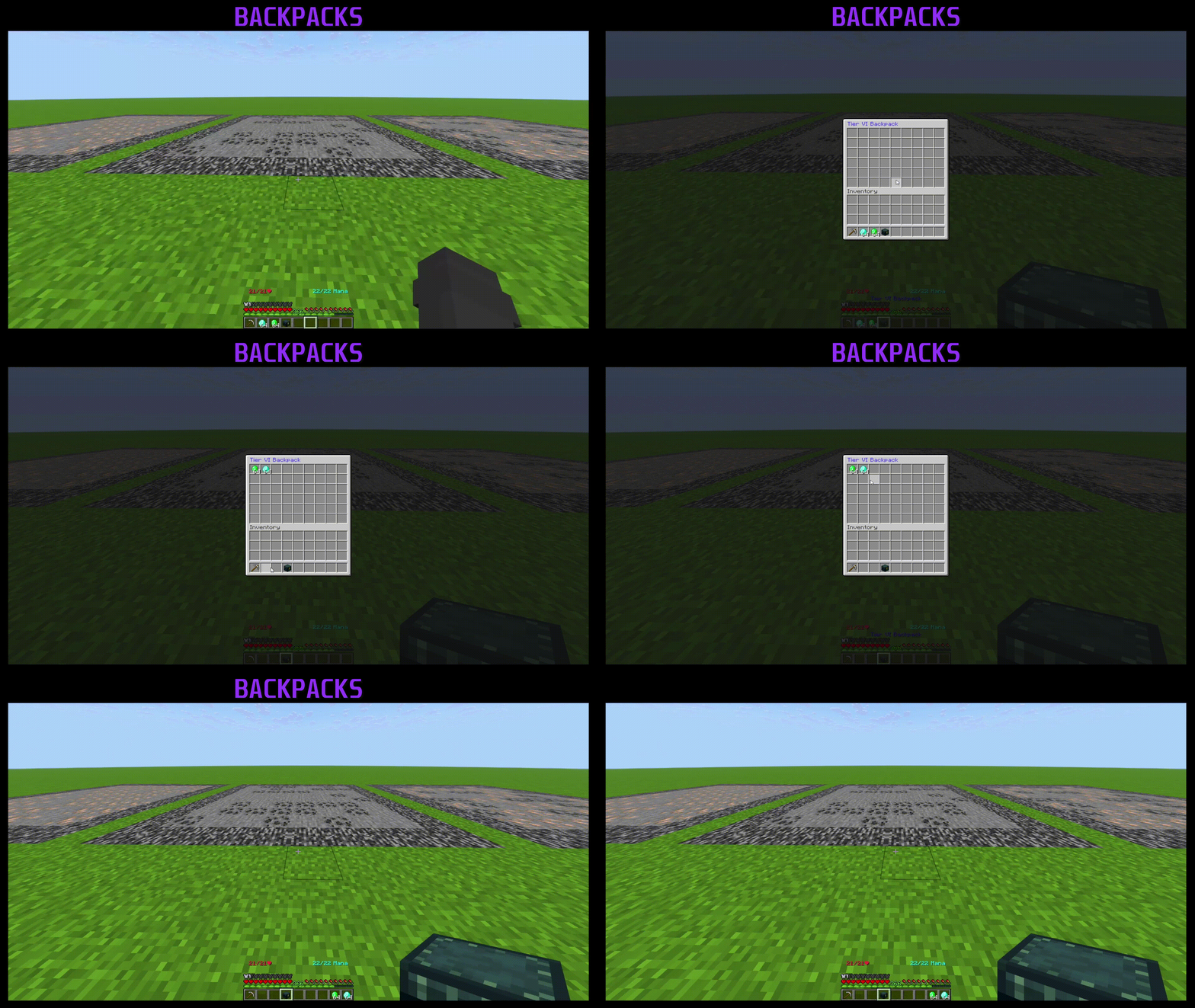
# 🎒 Backpacks

The **Backpack System** allows players to store additional items using tiered backpacks. Each tier increases the storage capacity.

Admins can give backpacks to players using `/backpack give <player> <backpack>`.

<figure><img src="https://3588988794-files.gitbook.io/~/files/v0/b/gitbook-x-prod.appspot.com/o/spaces%2FL6MVyB9FzPcSAmJ9fZ0x%2Fuploads%2FwrrWZLrw0FkmK89iOtFy%2FBackpack.gif?alt=media&amp;token=f7f5fdd3-2524-4a3b-8874-705bc6493689" alt=""><figcaption></figcaption></figure>

#### Configuration

```yaml
Backpacks:
  Tier1:
    Glow: true
    Rows: 1
    Price: 1000
    Item:
      Name: '&aTier I Backpack'
      Material: ENDER_CHEST
  Tier2:
    Glow: true
    Rows: 2
    Price: 1000
    Item:
      Name: '&aTier II Backpack'
      Material: ENDER_CHEST
  Tier3:
    Glow: true
    Rows: 3
    Price: 1000
    Item:
      Name: '&aTier III Backpack'
      Material: ENDER_CHEST
  Tier4:
    Glow: true
    Rows: 4
    Price: 1000
    Item:
      Name: '&aTier IV Backpack'
      Material: ENDER_CHEST
  Tier5:
    Glow: true
    Rows: 5
    Price: 1000
    Item:
      Name: '&aTier V Backpack'
      Material: ENDER_CHEST
  Tier6:
    Glow: true
    Rows: 6
    Price: 1000
    Item:
      Name: '&aTier VI Backpack'
      Material: ENDER_CHEST
```

#### Explanation

**Backpack Tiers**

Each tier defines a **backpack with different storage capacities**.

* **Glow**: Whether the backpack item should glow.
* **Rows**: Determines the number of storage rows in the backpack (1-6).
* **Price**: The in-game cost to obtain the backpack.
* **Item**:
  * **Name**: The display name of the backpack.
  * **Material**: The item type (default: `ENDER_CHEST`).

#### Example

```yaml
Tier3:
  Glow: true
  Rows: 3
  Price: 1000
  Item:
    Name: '&aTier III Backpack'
    Material: ENDER_CHEST
```

This means **Tier III Backpack**:\
Glows in the inventory\
Has **3 storage rows**\
Costs **1000** in-game currency

#### Customization

* Modify **`Price`** to set different costs for each backpack tier.
* Change **`Material`** to a different item type (e.g., `CHEST`, `SHULKER_BOX`).
* Add more tiers by following the existing format.


# 💣 Bombs

The **Bombs System** allows players to use throwable or placeable bombs that explode after a set delay. Each bomb tier increases the explosion radius and fuse time.

Admins can distribute bombs using `/bombs give <player> <bomb> [amount]`.

<figure><img src="https://3588988794-files.gitbook.io/~/files/v0/b/gitbook-x-prod.appspot.com/o/spaces%2FL6MVyB9FzPcSAmJ9fZ0x%2Fuploads%2F3dHqoHOMZ1LdS4xF4cLf%2FBombs.gif?alt=media&amp;token=ad358525-3bd1-40ed-8c14-f6de45034755" alt=""><figcaption></figcaption></figure>

#### Configuration

```yaml
Bombs:
  Tier1:
    Explosion Radius: 4
    Drop Sound: FUSE
    Explosion Sound: EXPLODE
    Explosion Particle: EXPLOSION_NORMAL
    Fuse Time: 3
    Item:
      Glow: true
      Material: TNT
      Name: '&c&lTier I Bomb'
      Lore:
        - '&7Throw or place this bomb down and run!'
        - ''
        - '&7This bomb will explode in &c3 seconds&7!'
        - '&7Creates explosions with a radius of &c2 blocks&7!'
      Custom Model Data: 0
  Tier2:
    Explosion Radius: 6
    Drop Sound: FUSE
    Explosion Sound: EXPLODE
    Explosion Particle: EXPLOSION_NORMAL
    Fuse Time: 5
    Item:
      Glow: true
      Material: TNT
      Name: '&c&lTier II Bomb'
      Lore:
        - '&7Throw or place this bomb down and run!'
        - ''
        - '&7This bomb will explode in &c5 seconds&7!'
        - '&7Creates explosions with a radius of &c4 blocks&7!'
      Custom Model Data: 0
```

#### Explanation

**Bomb Tiers**

Each bomb tier defines a **stronger explosion with a longer fuse time**.

* **Explosion Radius**: The size of the explosion.
* **Drop Sound**: The sound played when the bomb is placed or thrown (`FUSE`).
* **Explosion Sound**: The sound played when the bomb explodes (`EXPLODE`).
* **Explosion Particle**: The particle effect used for the explosion (`EXPLOSION_NORMAL`).
* **Fuse Time**: The countdown (in seconds) before detonation.
* **Item**:
  * **Glow**: Whether the bomb glows in the inventory.
  * **Material**: The item type (default: `TNT`).
  * **Name**: The display name of the bomb.
  * **Lore**: The description shown when hovering over the bomb.
  * **Custom Model Data**: Custom texture ID for resource packs.

#### Example

```yaml
Tier3:
  Explosion Radius: 8
  Drop Sound: FUSE
  Explosion Sound: EXPLODE
  Explosion Particle: EXPLOSION_NORMAL
  Fuse Time: 7
  Item:
    Glow: true
    Material: TNT
    Name: '&c&lTier III Bomb'
    Lore:
      - '&7Throw or place this bomb down and run!'
      - ''
      - '&7This bomb will explode in &c7 seconds&7!'
      - '&7Creates explosions with a radius of &c6 blocks&7!'
    Custom Model Data: 0
```

This means **Tier III Bomb**:\
1- Explodes **7 seconds** after being thrown\
2- Has an **8-block explosion radius**\
3- Plays **fuse and explosion sounds**\
4- Uses **TNT with a glowing effect**

#### Customization

* Adjust **`Explosion Radius`** for more or less damage.
* Modify **`Fuse Time`** to change the countdown before detonation.
* Change **`Material`** to another item (e.g., `FIREWORK_ROCKET`).
* Edit **`Lore`** to customize the in-game description.


# ⚡Boosters

Boosters provide temporary enhancements to players or the entire server. The plugin supports economy boosters and effect boosters.

**Activating Boosters**

Admins can activate boosters using `/booster activate <booster> <player|-GLOBAL> <duration>`.

* For individual players: `/booster activate economy_money_booster Player123 1h 30m`
* For the entire server: `/booster activate haste_effect_booster -GLOBAL 2h`

**Booster Types**

1. **Economy Boosters**
   * Example: `economy_money_booster`
   * Multiplier: 1.5x (50% bonus)
   * Affects: Money earnings
   * Permission Required: `vortexprisoncore.economy_money_booster`
2. **Effect Boosters**
   * Example: `haste_effect_booster`
   * Provides Haste II effect
   * Improves mining speed

**Booster Settings**

* **Global + Personal Stacking**: If enabled, global booster multipliers are added to personal multipliers when both are active
* **Multiple Boosters**: The system can allow multiple personal and/or global boosters simultaneously
* **Boss Bar Display**: Boosters show remaining time and effect on a boss bar


# 📚 Collections

The **Collections Module** allows players to progress by collecting specific materials, unlocking rewards at different milestones. It features a customizable progress bar and supports aliases for compact tracking.

Players can view their collections by using `/collections`. This opens a menu displaying all items they've collected.

<figure><img src="https://3588988794-files.gitbook.io/~/files/v0/b/gitbook-x-prod.appspot.com/o/spaces%2FL6MVyB9FzPcSAmJ9fZ0x%2Fuploads%2F9r8ZcTlEQIBD581l8avC%2FCollections.gif?alt=media&amp;token=147db535-bcf1-4084-9a8d-5b3210baafa4" alt=""><figcaption></figcaption></figure>

#### Progress Bar Configuration

The module includes a configurable progress bar to visually display collection progress.

```yaml
Progress Bar:
  Char: "▋"
  Completed Color: "§a"
  Uncompleted Color: "§7"
  Length: 20
  Format: "§7Progress: §e<progress_bar> §7<progress>§7%"
  Use Custom Texture: false

  Negative Shift 1: "neg_shift_1_char"
  Start Char Filled: "progressbar_start_char"
  Filled Fill Char: "progressbar_filled_char"
  End Char Filled: "progressbar_end_char"
  Start Char Unfilled: "progressbar_start_char"
  Unfilled Fill Char: "progressbar_unfilled_char"
  End Char Unfilled: "progressbar_end_char"
  Custom Bar Format: "<neg_shift_1_char><progress_char><neg_shift_1_char>"
```

* **Char**: The symbol used for the progress bar.
* **Completed Color / Uncompleted Color**: Colors for filled and unfilled sections.
* **Length**: Determines how many characters are used.
* **Format**: Defines how progress is displayed.
* **Custom Texture**: Allows for pixel-perfect progress bars using a negative shift.

#### Block Aliases

Aliases allow certain blocks to contribute to different collections.

```yaml
Aliases:
  COAL_BLOCK: 'COAL:9'
  IRON_BLOCK: 'IRON_INGOT:9'
  IRON_ORE: 'IRON_INGOT:1'
  GOLD_BLOCK: 'GOLD_INGOT:9'
  DIAMOND_BLOCK: 'DIAMOND:9'
  EMERALD_BLOCK: 'EMERALD:9'
  REDSTONE_BLOCK: 'REDSTONE:9'
  LAPIS_BLOCK: 'LAPIS_LAZULI:9'
```

* This setup ensures that breaking a **COAL\_BLOCK** counts as collecting **9 COAL**, while **IRON\_ORE** contributes **1 IRON\_INGOT**.

#### Example Collections

**Cobblestone Collection**

```yaml
COBBLESTONE:
  Name: '§7Cobblestone'
  Levels:
    '1':
      Amount: 500
      Rewards Lore:
        - '§7- §e$100'
        - '§7- §eEfficiency 1'
      Rewards:
        - 'COMMAND:eco give <player> 100'
        - 'UNLOCKS:ENCHANT:efficiency:1'
    '2':
      Amount: 1000
      Rewards Lore:
        - '§7- §e$200'
      Rewards:
        - 'COMMAND:eco give <player> 200'
    '3':
      Amount: 2000
      Rewards Lore:
        - '§7- §e$500'
        - '§7- §eUnbreaking 2'
      Rewards:
        - 'COMMAND:eco give <player> 500'
        - 'UNLOCKS:ENCHANT:unbreaking:2'
```

* Players unlock **money** and **enchantments** as they progress.

**Deepslate Collection**

```yaml
DEEPSLATE:
  Name: '§8Deepslate'
  Levels:
    '1':
      Amount: 500
      Rewards Lore:
        - '§7- §e$100'
        - '§7- §eUnbreaking 1'
      Rewards:
        - 'COMMAND:eco give <player> 100'
        - 'UNLOCKS:ENCHANT:unbreaking:1'
    '5':
      Amount: 5000
      Rewards Lore:
        - '§7- §e$2000'
        - '§7- §eUnbreaking 3'
      Rewards:
        - 'COMMAND:eco give <player> 2000'
        - 'UNLOCKS:ENCHANT:unbreaking:3'
```

* Higher levels grant better rewards, including **Unbreaking 3**.

#### Summary

* Players collect materials to unlock **money** and **enchants**.
* A **progress bar** visually tracks collection milestones.
* **Aliases** ensure compact tracking across different block types.


# 🎟️ Vouchers

The **Vouchers Module** allows server owners and developers to create custom items with unique effects and commands attached. Using conditions and PlaceholderAPI placeholders, you can fine-tune item interactions to fit your server's gameplay.

<figure><img src="https://3588988794-files.gitbook.io/~/files/v0/b/gitbook-x-prod.appspot.com/o/spaces%2FL6MVyB9FzPcSAmJ9fZ0x%2Fuploads%2FGfKK6B54POQHtHVeHWN5%2FVouchers.gif?alt=media&amp;token=1d8523b6-da65-4e17-ab42-1ed00cb54a4b" alt=""><figcaption></figcaption></figure>

Admins can give these items to players with `/voucher give <player> <itemid> [amount]`.

### Features

* Assign commands to custom items that execute when used.
* Utilize conditions to control item usage based on various parameters.
* Integrate PlaceholderAPI to check player stats, permissions, and other dynamic values.
* Configure console and player commands separately.
* Customize item display names, lore, and enchantments for better immersion.

### Condition Usage

The module supports various logical operators to create complex conditions:

* `&&` (AND) - Both conditions must be true.
* `||` (OR) - At least one condition must be true.
* `==` (EQUALS) - Compares if two values are equal.
* `!=` (NOT EQUALS) - Checks if values are different.
* `<` (LESS THAN) - Left value must be smaller.
* `>` (GREATER THAN) - Left value must be larger.
* `<=` (LESS THAN OR EQUALS) - Left value must be smaller or equal.
* `>=` (GREATER THAN OR EQUALS) - Left value must be larger or equal.

#### Example Condition

```
(%player_health% < 20 && %player_food% > 10) || !%player_is_flying%
```

* This checks if the player's health is below 20 and food level is above 10, or if the player is not flying.
* If a placeholder fails to parse, the condition will return `false`.

### Example Items

#### Instant Heal Item

```yaml
instant_heal:
  Conditions:
    check_health:
      Condition: "%player_health% < 20"
      Console Commands:
        - "[MESSAGE] §cYou are already at max health!"
    check_gamemode:
      Condition: "%player_gamemode% == SURVIVAL"
      Console Commands:
        - "[MESSAGE] §cYou can only use this item in survival mode!"
    check_permission:
      Condition: "%luckperms_check_permission_vortexprisoncore.vouchers.item.instant_health% == yes || %luckperms_check_permission_vortexprisoncore.vouchers.all%"
      Console Commands:
        - "[MESSAGE_KEY:General.No Permission]"
  Console Commands:
    - "heal <player>"
    - "[MESSAGE] - §aYou feel refreshed!"
  Item:
    Display Name: "§6§lInstant Heal"
    Material: "GOLDEN_APPLE"
    Enchantments:
      MENDING: 1
    Flags:
      - "HIDE_ENCHANTS"
    Lore:
      - "§7Heals you to max health."
```

#### Personal Money Booster

```yaml
personal_money_booster:
  Item:
    Display Name: "§6§lPersonal Money Booster"
    Material: "EMERALD"
    Lore:
      - "§7Boosts your money gain by 50% for 1 hour."
    Enchantments:
      MENDING: 1
    Flags:
      - "HIDE_ENCHANTS"
  Console Commands:
    - "booster activate economy_money_booster <player> 1h"
```

### Conclusion

The **Vouchers Module** provides a flexible way to create custom items with powerful effects. Using PlaceholderAPI, conditions, and command execution, you can fine-tune item interactions to enhance your server’s experience. Experiment with different setups to maximize the potential of your custom items!


# 📈 Economy

The economy system in VortexPluginCore allows you to create and manage multiple currencies, including **money** and **tokens**. It integrates with **Vault** and supports custom economy configurations with flexible transaction settings.

**Features**

* **Multiple Economies** – Supports different types of currencies (e.g., Money, Tokens).
* **Vault Integration** – If Vault is installed, the plugin overrides Essentials Economy.
* **Custom Commands & Messages** – Define balance commands, aliases, and messages for each economy.
* **Player Transactions** – Players can check balances and send currency to others.
* **Admin Controls** – Manage economies via in-game commands.

**Commands**

* `/balance` (`/bal`) – Check your money balance.
* `/token` (`/tokens`) – Check your token balance.
* `/pay <player> <amount>` – Send money to another player.
* `/eco give <player> <amount>` – Add currency to a player’s balance.
* `/eco take <player> <amount>` – Remove currency from a player’s balance.
* `/vpc economy delete <economy>` – Delete an economy from the database.

**Configuration (`config.yml`)**

The economy system is fully configurable. Here’s how you can customize it:

```yaml
Settings:
  Toplist Size: 10
  Toplist Update Interval: 10 # In minutes

Economies:
  money:
    Allow Pay: true
    Command: 'balance'
    Aliases:
      - 'bal'
    Messages:
      Balance: '&7Your balance: &a<amount>'
      Sent: '&7You sent &a<amount> &7to &a<target>'
      Received: '&7You received &a<amount> &7from &a<sender>'
    Name: 'Money'
    Prefix: '$'
    Suffix: ''
    Default: 0

  token:
    Allow Pay: true
    Command: 'token'
    Aliases:
      - 'tokens'
    Messages:
      Balance: '&7You have &a<amount> &7token(s).'
      Sent: '&7You sent &a<amount> Token(s) &7to &a<target>'
      Received: '&7You received &a<amount> Token(s) &7from &a<sender>'
    Name: 'Token'
    Prefix: ''
    Suffix: ''
    Default: 0
```

**Explanation of Config Options:**

* `Toplist Size` – Number of players displayed in economy leaderboards.
* `Toplist Update Interval` – How often (in minutes) the leaderboard refreshes.
* **Economy Settings:**
  * `Allow Pay` – Enables/disables player-to-player transactions.
  * `Command` – The main command to check balance.
  * `Aliases` – Alternative command names.
  * `Messages` – Customizable messages for balance checks and transactions.
  * `Prefix/Suffix` – Formatting for displaying currency.
  * `Default` – The starting balance for new players.

**Vault & Essentials Compatibility**

If **Vault** is installed, the "money" economy will become the default Vault economy provider, overriding Essentials Economy. To prevent conflicts, disable these Essentials commands:

```yaml
- money
- balance
- bal
- eco
- balancetop
- baltop
```


# ⚒️ Mines

Mines are essential to the prison gameplay experience. Vortex Prison Core offers comprehensive mine management features.

**Mine Access**

Each rank unlocks access to a new mine (A-Z), with higher ranks providing access to more valuable resources.

**Setting Up Mines**

1. Select an area using the mine selector tool (`/mine selector`)
2. Create a mine with `/mine create <id>`
3. Configure the mine settings in the config file
4. Reset/refill the mine when needed with `/mine reset <mine>`

**Mine Conversion**

If you're migrating from Catamines v3, you can convert existing mines using `/mine convert`.<br>

### **Mine Refill System**

The mine refill system automates resource regeneration, ensuring players always have materials to mine.

#### **Key Features:**

* **Automatic Refills** – Mines refill at set intervals.
* **Customizable Blocks** – Define block spawn rates per mine.
* **Adjustable Performance Settings** – Optimize refill speed to suit your server.

#### **Mine Configuration (`config.yml`)**

```yaml
Settings:
  Refill Task Interval: 20 # ticks - Check for new mines to refill every x ticks
  Max Blocks Per Tick: 100000 # Maximum blocks to refill per tick
  Debug Refill Time: false # Enable for debugging refill performance

Mines:
  A:
    Name: A
    World: world
    Lower Corner: 60,62,-17
    Upper Corner: 71,59,-9
    Refill Type: TIME
    Refill: 1m
    Blocks:
    - STONE:20.0
    - COAL_ORE:80.0

  B:
    Name: B
    World: world
    Lower Corner: 63,66,-1
    Upper Corner: 74,63,7
    Refill Type: TIME
    Refill: 1m
    Blocks:
    - EMERALD_ORE:100.0
```

#### **Explanation of Config Options:**

* `Refill Task Interval` – How often the plugin checks for mines to refill (in ticks).
* `Max Blocks Per Tick` – The maximum number of blocks replaced per tick to optimize performance.
* `Debug Refill Time` – Enable debugging to monitor refill efficiency.
* **Mine Settings:**
  * `Lower Corner` & `Upper Corner` – Defines the mine area using coordinates.
  * `Refill Type` – Determines how the mine refills (`TIME` for interval-based, `PERCENTAGE` for depletion-based).
  * `Refill` – Time interval before the mine refills (e.g., `1m` for 1 minute).
  * `Blocks` – Specifies block types and their spawn percentages.

#### **Example Refill Types:**

* **Time-based refill:** Refills every set duration (e.g., `1m`, `5m`).
* **Percentage-based refill:** Triggers when a specific percentage of the mine is depleted.


# ⛏️ Pickaxe

The Vortex Prison Core includes a comprehensive pickaxe system with tiers, custom enchantments, and special abilities.

<figure><img src="https://3588988794-files.gitbook.io/~/files/v0/b/gitbook-x-prod.appspot.com/o/spaces%2FL6MVyB9FzPcSAmJ9fZ0x%2Fuploads%2F1kaIMovYCUygpXdOQp3E%2FPickaxe.gif?alt=media&amp;token=7f529a50-7c78-480e-83b5-5a049f16dd1d" alt=""><figcaption></figcaption></figure>

**Pickaxe Tiers**

The plugin has 6 pickaxe tiers that players can progress through:

<table data-full-width="false"><thead><tr><th width="57">Tier</th><th width="211">Material</th><th>Token Cost</th><th>Money Cost</th><th>Name</th></tr></thead><tbody><tr><td>0</td><td>WOODEN_PICKAXE</td><td>0</td><td>$0</td><td>Wooden Pickaxe</td></tr><tr><td>1</td><td>STONE_PICKAXE</td><td>5,000</td><td>$100,000</td><td>Stone Pickaxe</td></tr><tr><td>2</td><td>IRON_PICKAXE</td><td>5,000</td><td>$100,000</td><td>Iron Pickaxe</td></tr><tr><td>3</td><td>GOLDEN_PICKAXE</td><td>5,000</td><td>$100,000</td><td>Golden Pickaxe</td></tr><tr><td>4</td><td>DIAMOND_PICKAXE</td><td>5,000</td><td>$100,000</td><td>Diamond Pickaxe</td></tr><tr><td>5</td><td>NETHERITE_PICKAXE</td><td>5,000</td><td>$100,000</td><td>Netherite Pickaxe</td></tr></tbody></table>

**Pickaxe Enchantments**

Players can upgrade their pickaxes with both vanilla enchantments and custom enchantments:

**Vanilla Enchantments:**

* **Efficiency**: Increases mining speed
* **Unbreaking**: Increases durability
* **Fortune**: Increases the chance of getting more drops

**Custom Enchantments:**

* **Double Drop**: Chance to double the items dropped from mining
* **Experience**: Chance to increase experience gained from mining
* **Smelt**: Chance to automatically smelt mined items (e.g., iron ore to iron ingot)
* **Explosion**: Chance to mine multiple blocks at once in an explosion pattern

**Throwaway Pickaxes**

Administrators can give players special throwaway pickaxes that cannot be repaired and have limited durability:

<table data-full-width="false"><thead><tr><th width="169">Pickaxe Type</th><th width="220">Material</th><th width="100">Durability</th><th>Notable Enchants</th></tr></thead><tbody><tr><td>Vote Pickaxe</td><td>IRON_PICKAXE</td><td>250</td><td>Efficiency 10, Double Drop 1, Fortune 1</td></tr><tr><td>Common Pickaxe</td><td>DIAMOND_PICKAXE</td><td>500</td><td>Efficiency 10, Double Drop 1, Fortune 2</td></tr><tr><td>Rare Pickaxe</td><td>DIAMOND_PICKAXE</td><td>750</td><td>Efficiency 10, Fortune 3, Double Drop 2</td></tr><tr><td>Epic Pickaxe</td><td>NETHERITE_PICKAXE</td><td>1,000</td><td>Efficiency 10, Fortune 4, Double Drop 3, Explode 1</td></tr><tr><td>Legendary Pickaxe</td><td>NETHERITE_PICKAXE</td><td>1,250</td><td>Efficiency 20, Fortune 5, Smelt 10, Explode 4, Double Drop 4</td></tr></tbody></table>

**Pickaxe Upgrades GUI**

Players can access the pickaxe upgrade GUI by right-clicking with their pickaxe. The menu allows them to:

* Upgrade their pickaxe tier
* Add/upgrade vanilla enchantments (Efficiency, Unbreaking, Fortune)
* Add/upgrade custom enchantments (Double Drop, Experience, Smelt, Explosion)

Each upgrade has associated token and money costs, and some upgrades may be locked until players unlock them via the collections system.


# 🎖️Ranks

The plugin features a comprehensive rank progression system with 26 ranks (A-Z). Each rank has its own token and money requirements and provides access to new mines.

Rank Configuration

Each rank has:

* `Name`: Rank identifier.
* `Token`: Cost in tokens to rank up.
* `Money`: Cost in money to rank up.
* `Weight`: Determines rank hierarchy.
* `Commands When Unlocked`: Executed upon unlocking the rank.

#### Example

```
Ranks:
  A:
    Name: 'A'
    Token: 1000
    Money: 10000
    Weight: 1
    Commands When Unlocked:
      - 'lp user <player> permission set essentials.warps.a server=prison'
      - '[MESSAGE] &6You have unlocked &eA &6mine!'
  B:
    Name: 'A'
    Token: 2000
    Money: 20000
    Weight: 2
    Commands When Unlocked:
      - 'lp user <player> permission set essentials.warps.b server=prison'
      - '[MESSAGE] &6You have unlocked &eB &6mine!'
```

* Players must have required tokens and money to unlock the rank.
* Commands grant permissions and notify the player upon rank-up.
* Higher ranks have higher costs and weights.

**Rankup Command**

Players can rankup using the `/rankup` command when they have enough tokens and money. When a player ranks up:

1. Their tokens and money are deducted
2. They gain access to the mine associated with their new rank
3. Special commands configured for the rank are executed (like permission grants)
4. A message is displayed to notify them of their new access


# 💎Treasures

The **Treasures Module** allows server owners to configure loot rewards within mines. Players can receive treasures based on configurable probabilities, with optional daily limits to prevent excessive farming.

Admins can reset a player's daily limits using `/prisontreasures reset <player>`.

#### Global Configuration

The global settings define treasures that apply across all mines.

```
Global:
  Treasures:
    1:
      Chance: 0.99
      Daily: true
      Daily Limit: 10
      Commands:
        - "give <player> diamond 1"
```

* `Chance`: Probability of obtaining this treasure.
* `Daily`: Whether the loot has a daily limit. Resets midnight at local time.
* `Daily Limit`: The maximum number of times this treasure can be obtained per day.
* `Commands`: List of commands executed when a player finds the treasure.

#### Per-Mine Configuration

Each mine can have its own treasure settings.

```
Mines:
  Basic:
    Treasures:
      Diamonds:
        Chance: 100.0
        Daily: true
        Daily Limit: 100
        Commands:
          - "give <player> diamond 1"
```

* `Chance`: The probability of obtaining this treasure in the specific mine.
* `Daily`: Whether the loot has a daily restriction. Resets midnight at local time.
* `Daily Limit`: Maximum times a player can receive the treasure per day.
* `Commands`: The commands executed when a player receives the treasure.

#### Conclusion

The **Treasures Module** provides a structured way to reward players with items while ensuring balanced gameplay. By configuring drop rates and daily limits, you can prevent over-farming while keeping mining engaging for players.


# 💡Tips

#### Pickaxe Configuration

* Customize pickaxe appearance with `Name` and `Lore` settings
* Configure whether vanilla pickaxes can be used in mines with `Allow Vanilla Pickaxe In Mines`
* Balance progression by adjusting token and money costs for tiers and enchantments
* Create special throwaway pickaxes for rewards with custom durability and enchantments

#### Rankup Configuration

* Create a balanced progression by gradually increasing token and money requirements
* Configure custom commands to execute when players reach new ranks
* Use weight values to determine rank order
* Include helpful messages to guide players on their progression

#### Booster Configuration

* Configure booster stacking behavior with the `Add Global And Personal Boosters` setting
* Decide whether to allow multiple personal or global boosters with `Allow Multiple Personal Boosters` and `Allow Multiple Global Boosters`
* Customize boss bar appearance for each booster type
* Set appropriate multipliers for economy boosters and effect levels for effect boosters

#### AutoSell Configuration

* Choose between ShopGUIPlus or Essentials as your price provider
* Configure tier names and row counts to match your server's progression system
* Assign appropriate permissions for each tier

### Troubleshooting

* If a player loses their pickaxe, use `/pickaxe restore <player>` to recover it
* If certain settings don't reload with `/vpc reload`, restart the server
* For economy issues, you can try importing from Essentials with `/vpc economy import essentials`
* If pickaxe enchantments aren't working correctly, verify the player has unlocked them via collections
* If boosters don't appear to be active, check the required permissions and boss bar settings


# 🛠️ Developer API

## Welcome to the VortexPrisonCore API

Welcome to the **VortexPrisonCore** API. This API allows developers to hook into the prison system, listen for custom events, and programmatically manage player data, mines, pickaxes, enchants, and more.&#x20;

{% hint style="info" %}
You can browse our available API versions and artifacts directly in your browser at our [repositiory](https://repo.vortexdevelopment.net/#browser).
{% endhint %}

### 📦 Dependency Management

To use the API, you need to add our Maven repository and the API dependency to your project.

#### Maven

Add the following to your `pom.xml`:

```xml
<repository>
    <id>vortex-repo</id>
    <url>https://repo.vortexdevelopment.net/repository</url>
</repository>

<dependency>
    <groupId>net.vortexdevelopment</groupId>
    <artifactId>VortexPrisonCore-API</artifactId>
    <version>latest</version> <!-- Use 'latest' or a specific version -->
    <scope>provided</scope>
</dependency>
```

#### Gradle (Groovy)

Add the following to your `build.gradle`:

```groovy
maven {
    url = uri("https://repo.vortexdevelopment.net/repository")
}
compileOnly 'net.vortexdevelopment:VortexPrisonCore-API:1.0.3'
```

***

### 🚀 Getting Started

#### Accessing the API

The main entry point for the API is the `VortexPrisonCoreApi` class. Note that you should always check if the plugin is enabled before accessing it. Additionally, each manager for specific modules can be null if that module is disabled in the configuration. All methods are statically accessible from the `VortexPrisonCoreApi` class.

#### 💠 API Modules

```java
@Nullable VortexPrisonCoreApi.getMineManager();
@Nullable VortexPrisonCoreApi.getPickaxeManager();
@Nullable VortexPrisonCoreApi.getEnchantManager();
@Nullable VortexPrisonCoreApi.getTokenManager();
@Nullable VortexPrisonCoreApi.getRankManager();
@Nullable VortexPrisonCoreApi.getBackpackManager();
@Nullable VortexPrisonCoreApi.getAutoSellManager();
@Nullable VortexPrisonCoreApi.getBombsManager();
@Nullable VortexPrisonCoreApi.getEconomyManager();
@Nullable VortexPrisonCoreApi.getBoosterManager();
@Nullable VortexPrisonCoreApi.getVoucherManager();
@Nullable VortexPrisonCoreApi.getPlayerDataManager();
```

The API is split into several modules to keep things organized:

* **MineManager**: Handle mine creation, retrieval, and interact with prison mines.
* **PickaxeManager**: Programmatically manage player pickaxes, their levels, and metadata.
* **EnchantManager**: Access and manage custom enchantments applied to pickaxes.
* **TokenManager**: Interact with the custom token economy system.
* **RankManager**: Manage player ranks and prestiges.
* **BackpackManager**: Programmatically interact with player backpacks and their contents.
* **AutoSellManager**: Manage the auto-sell system and sell multipliers.
* **BombsManager**: Interact with the custom bomb system for mining.
* **EconomyManager**: Access the main economy system (Vault integration).
* **BoosterManager**: Manage active global or personal boosters.
* **VoucherManager**: Create and manage redeemable vouchers.
* **PlayerDataManager**: Access and modify persistent player data (Gems, Stats, etc.).

***

### 🔔 Events

VortexPrisonCore fires several custom events that you can listen to in your own plugins:

* **MineBlockBreakEvent**: Fired when a player breaks a block inside a prison mine.
* **MineBlockPlaceEvent**: Fired when a player places a block inside a prison mine.
* **AsyncMineEnterEvent**: Fired asynchronously when a player enters a mine region.
* **AsyncMineLeaveEvent**: Fired asynchronously when a player leaves a mine region.
* **AddExperienceEvent**: Fired when a player gains experience (Pickaxe, Rank, etc.).
* **InventoryItemAddEvent**: Fired when an item is added to an inventory via core systems (AutoSell, Backpacks).

***

### 📄 Plugin.yml

If you are depending on VortexPrisonCore, don't forget to add it to your `plugin.yml` to ensure proper load order:

```yaml
depend: [VortexPrisonCore]
# OR
softdepend: [VortexPrisonCore]
```


# VortexVouchers

VortexVouchers is a simple but powerful voucher system built for modern Minecraft servers.

#### 🚀 Key Features

Vouchers are extremely versatile and can be used for a variety of purposes:

* **Run Commands** - Execute console or player commands upon consumption.
* **Give Rewards** - Hand out items, currency, or any other reward to your players.
* **Dynamic Conditions** - Limit voucher usage based on specific conditions (e.g., levels, permissions, or PlaceholderAPI values).
* **PlaceholderAPI Support** - Integrated with PlaceholderAPI for complex requirement checks.
* **Anti-Dupe Protection** - Fully protected against reuse or duplication with a unique ID tracking system. They are commonly used for **events, webstores, boosters, and special rewards**.

#### 🎨 In-Game Editor

VortexVouchers features a comprehensive in-game GUI editor, allowing you to create and modify vouchers without touching a single configuration file.

***

#### 🎮 Usage & Demonstrations

See VortexVouchers in action!

<figure><img src="https://3588988794-files.gitbook.io/~/files/v0/b/gitbook-x-prod.appspot.com/o/spaces%2FL6MVyB9FzPcSAmJ9fZ0x%2Fuploads%2FIg6J8AyC1GTeE7OR1343%2FCreatingV.gif?alt=media&amp;token=1b12ab19-2816-4c30-9da2-149febde7765" alt=""><figcaption></figcaption></figure>

<figure><img src="https://3588988794-files.gitbook.io/~/files/v0/b/gitbook-x-prod.appspot.com/o/spaces%2FL6MVyB9FzPcSAmJ9fZ0x%2Fuploads%2FkgFmxZTxflXnxNJa92V5%2FAdding_Commands.gif?alt=media&amp;token=b8a2c109-de6d-41cc-84e0-118450249fee" alt=""><figcaption></figcaption></figure>

<figure><img src="https://3588988794-files.gitbook.io/~/files/v0/b/gitbook-x-prod.appspot.com/o/spaces%2FL6MVyB9FzPcSAmJ9fZ0x%2Fuploads%2FkQA337kBxykOSb6vYuMz%2FClaiming.gif?alt=media&amp;token=bf1c315d-d1a1-4740-9b8b-3b8f4dc47e78" alt=""><figcaption></figcaption></figure>

***

#### 🔗 Essential Links

* **Discord Support**: [Join our Discord](https://dc.vortexdevelopment.net)


# 📜 Commands & Permissions

### Commands

```
/voucher
```

Shows voucher command usage.

```
/voucher edit
```

Opens the voucher editor GUI.

```
/voucher give <player> <voucher> [amount]
```

Gives a voucher to a player.

```
/voucher reset
```

Resets all voucher claim data.

***

### Permissions

| Permission                   | Description             |
| ---------------------------- | ----------------------- |
| `vortexvouchers.admin`       | Access voucher commands |
| `vortexvouchers.admin.edit`  | Open editor GUI         |
| `vortexvouchers.admin.give`  | Give vouchers           |
| `vortexvouchers.admin.reset` | Reset voucher claims    |


# ⚙️ Configuration

This page explains how to create and configure **voucher items** using the voucher file. Vouchers allow you to execute commands when an item is used, with optional **conditions**, **permissions**, and **PlaceholderAPI** support. In game editor can be opened with `/voucher edit`.

***

### File Purpose

The voucher file is used to define **custom items** that:

* Execute **console or player commands**
* Support **conditional usage**
* Use **PlaceholderAPI** for dynamic checks
* Can act as **boosters, rewards, or consumables**

***

### Condition System

Conditions control **whether a voucher can be used**.

#### Supported Operators

| Operator | Meaning                            |
| -------- | ---------------------------------- |
| `&&`     | AND (both conditions must be true) |
| \`       |                                    |
| `==`     | Equals                             |
| `!=`     | Not equals                         |
| `<`      | Less than                          |
| `>`      | Greater than                       |
| `<=`     | Less than or equals                |
| `>=`     | Greater than or equals             |
| `!`      | NOT                                |
| `( )`    | Force execution order              |

***

#### &#x20;Execution Order

1. **Each condition is checked**
2. If **any condition fails**, its failure commands are executed
3. Voucher usage is **cancelled**
4. If **all conditions pass**, main commands execute

***

#### PlaceholderAPI Support

Conditions can use **PlaceholderAPI placeholders**.

**Important Notes**

* Placeholders must return a valid value
* If a placeholder fails to parse → the condition returns **false**
* String comparisons are **case-sensitive**

***

#### Example Condition

```
(%player_health% < 20 && %player_food% > 10) || !%player_is_flying%
```

✔ Allows usage if:

* Player has low health **and** enough food\
  **OR**
* Player is not flying

***

### Example: Instant Heal Voucher (With Conditions)

```yaml
instant_heal:
  Conditions:
    check_health:
      Condition: "%player_health% < 20"
      Console Commands:
        - "[MESSAGE] §cYou are already at max health!"

    check_gamemode:
      Condition: "%player_gamemode% == SURVIVAL"
      Console Commands:
        - "[MESSAGE] §cYou can only use this item in survival mode!"

    check_permission:
      Condition: "%luckperms_check_permission_vortexprisoncore.vouchers.item.instant_health% == yes || %luckperms_check_permission_vortexprisoncore.vouchers.all%"
      Console Commands:
        - "[MESSAGE_KEY:General.No Permission]"

  Console Commands:
    - "heal <player>"
    - "[MESSAGE] §aYou feel refreshed!"

  Item:
    Display Name: "§6§lInstant Heal"
    Material: "GOLDEN_APPLE"
    Enchantments:
      MENDING: 1
    Flags:
      - "HIDE_ENCHANTS"
    Lore:
      - "§7Heals you to max health."
```

***

### Example: Personal Money Booster Voucher

This voucher activates a **personal money booster** for the player.

```yaml
personal_money_booster:
  Item:
    Display Name: "§6§lPersonal Money Booster"
    Material: "EMERALD"
    Lore:
      - "§7Boosts your money gain by 50% for 1 hour."
    Enchantments:
      MENDING: 1
    Flags:
      - "HIDE_ENCHANTS"

  Console Commands:
    - "booster activate economy_money_booster <player> 1h"
```

***

### Item Section Explained

| Key            | Description                      |
| -------------- | -------------------------------- |
| `Display Name` | Item name (supports color codes) |
| `Material`     | Bukkit material name             |
| `Lore`         | Item description                 |
| `Enchantments` | Adds enchant glow                |
| `Flags`        | Hides enchantments or attributes |


# 🧩 Integrations

VortexVouchers integrates with:

* PlaceholderAPI
* LuckPerms
* Modern Paper servers


# 💡Tips

### Getting Started

To get started:

1. Create your first voucher
2. Configure commands and conditions
3. Test voucher usage
4. Give vouchers to players

Continue to the next section to learn how to create and configure vouchers.

### Final Notes

* Voucher names must be **unique**
* Indentation is **YAML-sensitive**
* Restart or reload plugin after changes (Plugman reload supported)


# VortexStacker

## VortexStacker Overview <a href="#user-content--vortexstacker-overview" id="user-content--vortexstacker-overview"></a>

Welcome to the definitive guide to **VortexStacker,** the most advanced, performance-optimized stacking solution for modern Minecraft servers. VortexStacker isn't just about merging entities, it's about providing a seamless, feature-rich experience for both administrators and players.

Below are the five core modules that power the VortexStacker ecosystem.

***

#### 🎨 1. Smart Stacking Conditions <a href="#user-content--1-smart-stacking-conditions" id="user-content--1-smart-stacking-conditions"></a>

VortexStacker provides granular control over entity merging. Unlike basic plugins, our condition system allows you to define exactly when two entities should, or shouldn't stack. A prime example is color-based sheep stacking, ensuring your farms remain organized and visually accurate.

{% hint style="info" %}
**Dynamic Filtering:** You can configure the plugin to check for specific NBT data, wool colors, or even custom metadata before allowing a stack to form.
{% endhint %}

![Condition Stacking - Sheep Color Check](https://3588988794-files.gitbook.io/~/files/v0/b/gitbook-x-prod.appspot.com/o/spaces%2FL6MVyB9FzPcSAmJ9fZ0x%2Fuploads%2Fw1BPtu1FIJVa4U3XNxSz%2FStackReasons.gif?alt=media\&token=49cb7f9b-405d-4beb-b8d3-8556bbe30101)

***

#### 🏗️ 2. Intuitive Spawner Placing <a href="#user-content-2-intuitive-spawner-placing" id="user-content-2-intuitive-spawner-placing"></a>

Managing spawners is a breeze. Our placement logic is designed to be lightweight and responsive. Whether a player is starting a new stack or expanding an existing one, the plugin handles the metadata and holograms instantly, providing a crisp visual experience.

![Spawner Placement & Stacking](https://3588988794-files.gitbook.io/~/files/v0/b/gitbook-x-prod.appspot.com/o/spaces%2FL6MVyB9FzPcSAmJ9fZ0x%2Fuploads%2FIRD7CSdw2kF6HefmPDvi%2FSpawners.gif?alt=media\&token=f76269a0-4f11-4cc0-a0ed-7e98376da676)

***

#### 💎 3. Powerful Mob Loot Editor <a href="#user-content--3-powerful-mob-loot-editor" id="user-content--3-powerful-mob-loot-editor"></a>

Leave the YAML files behind. VortexStacker features a robust, **in-game GUI Loot Editor**. This module allows you to modify drop rates, item amounts, and specific enchantments in real-time. Changes are applied instantly without requiring a server reload.

{% hint style="success" %}
**Efficiency First:** Edit complex loot tables for any stacked mob directly through a premium menu interface.
{% endhint %}

![Mob Loot Editor GUI](https://3588988794-files.gitbook.io/~/files/v0/b/gitbook-x-prod.appspot.com/o/spaces%2FL6MVyB9FzPcSAmJ9fZ0x%2Fuploads%2FbYCABNAzUpzKWWwm6vM7%2FEditing.gif?alt=media\&token=f958b185-1a73-411c-839d-b4868d3a2f5b)

***

#### 🌍 4. Translated Item Stacking <a href="#user-content--4-translated-item-stacking" id="user-content--4-translated-item-stacking"></a>

Accessibility matters. VortexStacker includes a unique **Auto-Translation** engine. When items are stacked, the plugin communicates with the client to display item names in the player's local language. This ensures a professional feel for international communities.

{% hint style="success" %}
**No need to translate all item names one by one, auto translate options do it for you!**
{% endhint %}

![Translated Item Stacking](https://3588988794-files.gitbook.io/~/files/v0/b/gitbook-x-prod.appspot.com/o/spaces%2FL6MVyB9FzPcSAmJ9fZ0x%2Fuploads%2FCZ7f25vmc0zWGsXPAdyQ%2FItems.gif?alt=media\&token=5f8dbaed-9a4d-43de-a514-3f06b7195faf)

***

#### 📦 5. Optimized Block Stacking <a href="#user-content--5-optimized-block-stacking" id="user-content--5-optimized-block-stacking"></a>

Designed with competitive Skyblock in mind, the Block Stacking module allows players to condense thousands of value-blocks into a single location. This not only saves immense space on islands but also optimizes island level calculations and reduces the overall block count for better server performance, ensuring your leaderboard stays accurate without the lag.

![Block Stacking & Interaction](https://3588988794-files.gitbook.io/~/files/v0/b/gitbook-x-prod.appspot.com/o/spaces%2FL6MVyB9FzPcSAmJ9fZ0x%2Fuploads%2FPpZIhtROO8sjZYuvWgv0%2FBlockssss.gif?alt=media\&token=5b7f778e-19fb-4e41-a25b-0b4a3c3c1387)

***

{% hint style="warning" %}
**Configuration Note:** Most of these modules can be toggled or fine-tuned in the `config.yml`. Ensure you have the core modules enabled to see these features in action.
{% endhint %}

***

#### 🔗 Essential Links

* **Discord Support**: [Join our Discord](https://dc.vortexdevelopment.net)
* **Plugin Repository**: [Browse Artifacts](https://repo.vortexdevelopment.net/repository)


# 📜 Commands & Permissions

| Command                                    | Description                   | Permission                    |
| ------------------------------------------ | ----------------------------- | ----------------------------- |
| /vstacker reload                           | Reload plugin configs         | vortexstacker.command.reload  |
| /vstacker loot \[entity]                   | Opens loot editor             | vortexstacker.command.loot    |
| /vstacker give \<player> \<type> \[amount] | Gives a spawner to the player | vortexstacker.command.give    |
| /vstacker spawn \<type> \[amount]          | Spawn a stacked mob           | vortexstacker.command.spawn   |
| /vstacker recipes                          | Opens spawner recipe GUO      | vortexstacker.command.recipes |
| /vstacker killall items                    | Removes all stacked items     | vortexstacker.command.killall |
| /vstacker killall entities                 | Removes all stacked entities  | vortexstacker.command.killall |

#### Other permissions:

* `vortexstacker.bypass.silktouch` - Allows breaking spawners without Silk Touch.


# ⚙️ Configuration

### Items Module (Modules.Items)

```yml
# Enable or disable the Items module.
Enabled: true

# The format of the stacked item name. Use <type> and <amount> as placeholders.
Name Format: "<gradient:#9200B7:#137FFF><amount>x <type></gradient>"

# If true, item names will be automatically translated based on client language.
Auto Translate Names: true

# Enable stacking for non-stackable items such as tools and armor
Stack Non Stackable Items: false

# List of item types (material names) that should not be stacked
Disabled Items:
  - BARRIER

# List of worlds where item stacking is disabled
Disabled Worlds:
  - "example_world"

# The global maximum stack size for items.
Max Stack Size: 2147483647
```

### Mobs (Modules.Mobs)

```yaml
# The method used to merge mob stacks. OLDEST keeps the first mob, YOUNGEST keeps the latest.
Merge Method: OLDEST

# Enable or disable the Mobs module.
Enabled: true

# The radius in blocks within which mobs will be merged into stacks.
Merge Radius: 8.0

# The maximum number of mobs that can be in a single stack.
Max Stack Size: 1000

# If true, the stack amount will be displayed in the mob's name.
Display Stack In Name: true

# The format of the stacked mob name. Use <type> and <amount> placeholders.
Stack Name Format: "<gradient:#9200B7:#137FFF><type> x<amount></gradient>"

# If true, mob names will be automatically translated based on client language.
Auto Translate Names: true
Task:
  # Task interval in ticks for checking mobs to stack.
  Interval: 3

Checks:
  # If true, mobs will only stack if they are on the surface (direct sky access).
  Surface Only: true
  # If true, mobs flying downwards will still be considered for stacking.
  Flying Downwards: true
  # If true, mobs with custom names will also be stacked.
  Stack Custom Named: false

# List of attributes that must match for two mobs to stack (e.g., AGE, COLOR, VARIANT).
Active Checks:
  - "AGE"
  - "COLOR"
  - "VARIANT"
  - "TAMED"
  - "HAS_EQUIPMENT"

Loot Editor:
  # If true, the mob loot editor GUI will be enabled.
  Enabled: true

# If true, only mobs spawned from spawners will be stacked.
Stack Only From Spawners: false

# List of Persistent Data Container keys that will prevent an entity from being stacked.
Ignored PDC Keys:
  - "mynamespace:custom_mob"
```

### Spawners (Modules.Spawners)

```yaml
# Enable or disable the Spawners module.
Enabled: true

# How to handle spawners that are found in the database but the block at the location is no longer a spawner.
# Options:
# SKIP - Just don't load it into memory
# WARN - Don't load it and show a warning in console
# REMOVE - Delete it from the database and log the deletion
Cleanup Action: SKIP

# The maximum stack size for spawners.
Max Stack Size: 1000

# If true, spawner mob names will be automatically translated based on the client's language settings. (Will auto translate <type> placeholders)
Auto Translate Names: true

# If true, custom entities from other plugins will be supported by spawners.
Custom Entity Support: true

GUI:
  # If true, the spawner GUI will be enabled, allowing players to manage spawner upgrades and settings.
  Enabled: false

Drops:
  # If true, spawners will drop as items when broken.
  To Inventory: true
  # If true, players will need to have a silk touch pickaxe to pick up spawners.
  Silk Touch Required: false

Holograms:
  # If true, holograms will be displayed above spawners showing their type and amount.
  Enabled: true
  # The format of the spawner holograms. You can use <amount> and <type> placeholders.
  Format:
    - "<gradient:#9200B7:#137FFF><amount>x <type> Spawner</gradient>"

Item:
  # The name of the spawner item. You can use <amount> and <type> placeholders.
  Name: "<gradient:#9200B7:#137FFF><amount>x <type> Spawner</gradient>"

Spawned Mobs:
  # If true, spawned mobs will have their AI disabled when they were spawned from spawners. Gravity still applies.
  Disable AI: true
  # If true, spawned Endermen will be prevented from teleporting when there were spawned from spawners.
  Disable Enderman Teleport: true

# If true, players will not be able to change the spawner type using spawn eggs.
Disable Mob Egg Usage: true

# If true, each spawner will require a spawn egg to be placed.
Require Egg Per Spawner: false
```

### Blocks (Modules.Blocks)

```yaml
# Enable or disable the Blocks module.
Enabled: true

# How to handle blocks that are found in the database but the block at the location is no longer the correct type.
# Options:
# SKIP - Just don't load it into memory
# WARN - Don't load it and show a warning in console
# REMOVE - Delete it from the database and log the deletion
Cleanup Action: SKIP

Hologram:
  # Enable or disable holograms for stacked blocks
  Enabled: true
  # Format of the hologram displayed above stacked blocks. Use <block-name> and <amount> as placeholders.
  Format:
    - "<gradient:#9200B7:#137FFF><block-name> x<amount></gradient>"

# Behavior when a player sneak-breaks a stacked block
# Options:
# DROP_ALL - Drops all blocks in the stack
# DROP_ONE - Drops one block from the stack
Sneak Break Behavior: DROP_ALL

# If true, when a stacked block is broken, items will be dropped directly into the player's inventory if possible.
Drop Directly To Player: false

```

### Schedules

```yaml
Schedules:
  Remove Stacked Items:
    # Schedule removal of stacked items and entities.
    # Period format: <number><unit> (e.g. 15m, 1h, 30s)
    Enabled: false
    Period: "15m"
    Log: true
  Remove Stacked Entities:
    Enabled: false
    Period: "15m"
    Log: true
```


# 💰 Custom Loot Editor

## Mob Loot Editor <a href="#user-content--mob-loot-editor" id="user-content--mob-loot-editor"></a>

**VortexStacker** features a professional, GUI-driven loot editor that allows you to manage custom drops for every mob on your server. Forget about complex YAML files; you can set up everything—from rare custom equipment to nested loot tables, directly in-game.

### Getting Started <a href="#user-content-getting-started" id="user-content-getting-started"></a>

To open the editor, use the command:

> **`/stacker loot [type]`** *(Requires Administrative Permissions)*

#### **1. The Item Importer** <a href="#user-content-1-the-item-importer" id="user-content-1-the-item-importer"></a>

One of the most powerful features of the editor is the **Direct Importer**.

* **How it works:** When you are inside a Mob's loot table menu, simply **click any item in your  inventory**.
* **What it saves:** The editor captures **EVERYTHING**. This includes:
  * Custom Names & Lore
  * Custom item models
  * Enchantments (even above vanilla limits)
  * NBT Data (CustomModelData, persistent tags)
  * Attributes & Flags
  * Potion effects or Firework patterns

### 2. Advanced Conditions

#### **Core Conditions** <a href="#user-content-core-conditions" id="user-content-core-conditions"></a>

These apply to almost any mob and control basic drop logic.

| Condition                   | Description                                                             |
| --------------------------- | ----------------------------------------------------------------------- |
| **`IS_ADULT`**              | The entity must be an adult.                                            |
| **`IS_BABY`**               | The entity must be a baby.                                              |
| **`REQUIRE_PLAYER_KILL`**   | The final blow must be from a player (Prevents AFK farm drops).         |
| **`REQUIRE_PLAYER_DAMAGE`** | A player must have dealt damage to the entity recently.                 |
| **`REQUIRE_LOOTING`**       | Requires the killer to have the Looting enchantment (any level).        |
| **`PER_STACK_SCALING`**     | Multiplies the drop amount by the current stack size of the mob.        |
| **`MIN_STACK_SIZE`**        | The mob stack must be at least a certain size for this item to drop.    |
| **`ON_FIRE`**               | The entity must be on fire when it dies.                                |
| **`SMELTED_LOOT`**          | Drops the "cooked" version of items (triggered by fire or Fire Aspect). |
| **`KILLED_BY_FIRE_ASPECT`** | Specifically requires a weapon with the Fire Aspect enchantment.        |

***

#### **Mob-Specific Conditions** <a href="#user-content-mob-specific-conditions" id="user-content-mob-specific-conditions"></a>

These only appear in the GUI when they are relevant to the mob you are editing.

| Condition                      | Relevant Mobs                | Description                                                       |
| ------------------------------ | ---------------------------- | ----------------------------------------------------------------- |
| **`SKELETON_SHOT`**            | Creepers                     | Traditionally used for Music Disc drops.                          |
| **`CHARGED_CREEPER`**          | Mob Heads                    | Required for Creepers/Zombies/Skeletons to drop their heads.      |
| **`KILLED_BY_FROG`**           | Slimes / Magma Cubes         | Required for Froglight drops.                                     |
| **`FROG_WARM/COLD/TEMPERATE`** | Slimes / Magma Cubes         | Determines which specific color of Froglight drops.               |
| **`RAID_CAPTAIN`**             | Pillagers, Evokers, etc.     | Required for the Ominous Banner drop.                             |
| **`SHEEP_COLOR`**              | Sheep                        | Drops loot based on the wool color of the sheep.                  |
| **`VILLAGER_TYPE / PROF.`**    | Villagers / Zombie Villagers | Differentiates drops based on biome type or job.                  |
| **`CAT_TYPE`**                 | Cats                         | Differentiates drops based on the cat's skin.                     |
| **`MOOSHROOM_VARIANT`**        | Mooshrooms                   | Checks if it is a Red or Brown Mooshroom.                         |
| **`PANDA_VARIANT`**            | Pandas                       | Checks for specific personality types (Lazy, Weak, Worried, etc). |

***

#### **Technical & Advanced Conditions** <a href="#user-content-technical--advanced-conditions" id="user-content-technical--advanced-conditions"></a>

Used for deep integration or custom mechanics.

| Condition             | Description                                                                    |
| --------------------- | ------------------------------------------------------------------------------ |
| **`PERSISTENT_DATA`** | Allows checking for custom PDC tags (e.g., tags from MythicMobs or EliteMobs). |
| **`SPAWN_REASON`**    | Check if the mob was spawned by a Spawner, Natural spawn, or Egg.              |

#### **3. Sub-Table Logic (Nested Loot)** <a href="#user-content-3-sub-table-logic-nested-loot" id="user-content-3-sub-table-logic-nested-loot"></a>

You can create **Child Loot Tables**! This allows you to create "Drop Groups."

* *Example:* Create a "Rare Treasure" table. Add it as a child to multiple mobs. If the "Rare Treasure" roll succeeds, it then rolls from its own list of items.

***

### 📽️ Visual Showcase <a href="#user-content-visual-showcase" id="user-content-visual-showcase"></a>

*(Note: Gifs here)*

#### **The Main Menu** <a href="#user-content-the-main-menu" id="user-content-the-main-menu"></a>

Easy navigation through all spawnable mobs with real-time loot entry counters.

> `[GIF: Navigating the Mob List]`

#### **Importing an Item** <a href="#user-content-importing-an-item" id="user-content-importing-an-item"></a>

Just one click to move a complex item from your hand into the mob's pool.

> `[GIF: Clicking a Diamond Sword in inventory to import it]`

#### **Configuring Conditions** <a href="#user-content-configuring-conditions" id="user-content-configuring-conditions"></a>

Deep-dive into an item's settings to set chances, scaling, and kill requirements.

> `[GIF: Toggling 'Adult Only' and 'Per-Stack Scaling']`

***

#### **Technical Summary for Admins** <a href="#user-content-technical-summary-for-admins" id="user-content-technical-summary-for-admins"></a>

* **Vanilla Importer:** Imports vanilla lootable automatically for missing mobs for the current version!
* **Storage:** Loot is saved in `plugins/VortexStacker/LootTables/`. Each mob gets its own file for easy backup.
* **Performance:** All loot calculations are handled asynchronously where possible to ensure zero TPS impact during heavy combat.
* **Infinite Chances:** Supports decimal chances (e.g., `0.0001%` for ultra-rare drops).


# 🛠️Developer API

Welcome to the **VortexStacker API**. This API allows developers to hook into the stacking system, listen for stacking events, and programmatically manage stacked entities, spawners, and loot.

{% hint style="info" %}
You can browse our available API versions and artifacts directly in your browser at our [repositiory](https://repo.vortexdevelopment.net/#browser).
{% endhint %}

### 📦 Dependency Management <a href="#user-content--dependency-management" id="user-content--dependency-management"></a>

To use the API, you need to add our Maven repository and the API dependency to your project.

#### **Maven** <a href="#user-content-maven" id="user-content-maven"></a>

Add the following to your `pom.xml`:

```xml
<repository>
    <id>vortex-repo</id>
    <url>https://repo.vortexdevelopment.net/repository</url>
</repository>

<dependency>
    <groupId>net.vortexdevelopment</groupId>
    <artifactId>VortexStacker-API</artifactId>
    <version>latest</version> <!-- Or use a specific version -->
    <scope>provided</scope>
</dependency>
```

#### **Gradle (Groovy)** <a href="#user-content-gradle-groovy" id="user-content-gradle-groovy"></a>

Add the following to your `build.gradle`:

```kotlin
repositories {
    maven {
        url = uri("https://repo.vortexdevelopment.net/repository")
    }
}

dependencies {
    compileOnly 'net.vortexdevelopment:VortexStacker-API:latest'
}
```

***

### 🚀 Getting Started <a href="#user-content--getting-started" id="user-content--getting-started"></a>

#### **Accessing the API** <a href="#user-content-accessing-the-api" id="user-content-accessing-the-api"></a>

The main entry point for the API is the `VortexStackerApi` class. Note that you should always check if the plugin is enabled before accessing it as well as each manager for modules can be null if they are disabled. All methods staticly accessible from the `VortexStackerApi` class for each module.

#### 💠 **API Modules** <a href="#user-content-api-modules" id="user-content-api-modules"></a>

```java
@Nullable VortexStackerApi.getBlockManager();
@Nullable VortexStackerApi.getEntityManager();
@Nullable VortexStackerApi.getItemManager();
@Nullable VortexStackerApi.getSpawnerManager();
```

The API is split into several modules to keep things organized:

* **`StackedEntityManager`**: Handle mob stacking logic, manually merge entities, and access stack data/amounts from living entities.
* **`StackedSpawnerManager`**: Programmatically manage stacked spawners at specific locations and update spawner holograms.
* **`StackedBlockManager`**: Interact with stacked blocks (like Iron/Emerald blocks) and manage their stack levels.
* **`StackedItemManager`**: Manage items stacked on the ground and customize how they merge or display.
* **`LootManager`**: Programmatically interact with the custom loot system, modify loot table definitions, and trigger loot generation.

***

### 🔔 Events <a href="#user-content--events" id="user-content--events"></a>

VortexStacker fires several custom events that you can listen to in your own plugins:

* **`VortexStackerLoadEvent`**: Fired when the plugin has fully initialized its DI container and is ready to be used.
* **`MobStackEvent`**: Fired when two mobs are about to merge.
* **`SpawnerStackEvent`**: Fired when two spawners are stacked together.
* **`LootGenerateEvent`**: Fired when the custom loot system is calculating drops for an entity.

***

#### 📄 **Plugin.yml** <a href="#user-content-pluginyml" id="user-content-pluginyml"></a>

If you are depending on VortexStacker, don't forget to add it to your&#x20;

plugin.yml to ensure proper load order:

```
depend: [VortexStacker] # OR
softdepend: [VortexStacker]
```


# VortexFileSync

### 🌟 Overview&#x20;

VortexFileSync is a powerful Minecraft plugin designed to synchronize configuration files, plugin data, and even JAR files across multiple servers in real-time. By leveraging a centralized MySQL/MariaDB database, it ensures that your server network stays consistent without manual file transfers.

### ✨ Core Features

* **Centralized Synchronization:** Keep multiple servers in sync using a shared database.
* **Flexible Config:** Define specific paths for uploading and downloading files.
* **Regex Filtering:** Use powerful regular expressions to exclude specific files or directories from being synced.
* **Post-Sync Commands:** Automatically execute commands after a file is downloaded or uploaded (ideal for reloading plugins).
* **YAML Overrides:** Dynamically change YAML values during the download process. This allows you to have a master configuration that is slightly tweaked for each individual server (e.g., different server names or database settings).
* **Performance Focused:** Asynchronous file processing ensuring no impact on server performance.

### 📥 Installation

1. Place the `VortexFileSync.jar` in your plugins folder.
2. Restart your server to generate the configuration files.
3. Configure your **MySQL/MariaDB** database settings in the `config.yml`.
4. Define your **Upload** and **Download** sections.
5. Restart or reload the plugin to apply changes.

***

#### 🔗 Essential Links

* **Discord Support**: [Join our Discord](https://dc.vortexdevelopment.net)
* **Plugin Repository**: [Browse Artifacts](https://repo.vortexdevelopment.net/repository)


# 📜 Commands & Permissions

VortexFileSync provides simple commands to manage your file synchronization manually or verify access for administrators.

#### 🛠 Administrative Commands

| Command       | Description                                                                                                                                                                                                                                               | Permission             |
| ------------- | --------------------------------------------------------------------------------------------------------------------------------------------------------------------------------------------------------------------------------------------------------- | ---------------------- |
| `/vfs upload` | Manually triggers an immediate upload of all folders defined in the [Upload](cci:1://file:///h:/Dev/VortexDevelopment/VortexFileSync/VortexFileSync-Plugin/src/main/java/net/vortexdevelopment/filesync/file/FileManager.java:354:4-367:5) configuration. | `vortexfilesync.admin` |
| `/vfs`        | Shows the base plugin usage and help message.                                                                                                                                                                                                             | `vortexfilesync.admin` |

#### 🔑 Command Aliases

You can use any of the following aliases for the base command:

* `/vfs`
* `/vortexfilesync`
* `/vortexfs`

{% hint style="info" %}
**Permission Note:** All commands are restricted to administrators by default via the `vortexfilesync.admin` node.
{% endhint %}


# ⚙️ Configuration

VortexFileSync is designed to synchronize plugin configurations and data across multiple Minecraft servers using a central database. This guide covers how to set up the plugin, handle multiple servers, and use advanced features like YAML overrides.

***

#### ⚠️ Prerequisites & Requirements <a href="#user-content-prerequisites-requirements" id="user-content-prerequisites-requirements"></a>

**Database Requirement:** VortexFileSync **REQUIRES** a central **MySQL** or **MariaDB** database to function. It uses this database as a "cloud storage" for your files.

**Important Database Note:** Because files (like JARs or large YMLs) are stored as BLOBs, you must ensure your SQL server can handle large packets.

* **Action:** Increase the `max_allowed_packet` in your `my.cnf` or `my.ini` file to at least `64M` or `128M` (depending on your file sizes).

  ```
  SET GLOBAL max_allowed_packet = 67108864;
  ```

{% hint style="warning" %}
**Important**: This plugin is **not** designed for synchronizing live server world data or player database files (e.g., `.db`, `.h2.db`) in multi-server setups. It is intended specifically for configuration files and static assets.
{% endhint %}

***

#### 🗺️ Core Concept: Upload vs. Download <a href="#user-content-core-concept-upload-vs-download" id="user-content-core-concept-upload-vs-download"></a>

* **Upload (The Source):** This server is the "owner" of the files. When files change here, they are pushed to the database.
* **Download (The Client):** This server watches the database for changes. If it sees a newer version, it pulls the files and overwrites its local copy.

***

#### 📂 Using Multiple Servers (Setup Example) <a href="#user-content--using-multiple-servers-setup-example" id="user-content--using-multiple-servers-setup-example"></a>

Imagine you have a **Hub** server and two **Survival** servers. You want to sync a specialized "Menu" plugin config from the Hub to both Survivals.

**🏁 Server 1: The "Source" (Hub)**

On this server, you define the folder in the&#x20;

Upload section.

```yml
Upload:
  CustomMenus:
    Path: plugins/DeluxeMenus/gui_menus
    Ignored Files:
      - "temp/*"
    Upload Trigger Commands:
      - "dm reload" # When you reload the menus, vfs uploads the changes
```

**🏁 Server 2 & 3: The "Clients" (Survival 1 & 2)**

On these servers, you define the folder in the&#x20;

Download section.

```yml
Download:
  CustomMenus:
    Path: plugins/DeluxeMenus/gui_menus
    Commands On Download:
      - "dm reload" # Automatically reloads the menus when new files arrive
```

***

#### 🔄 Advanced: YAML Overrides <a href="#user-content--advanced-yaml-overrides" id="user-content--advanced-yaml-overrides"></a>

Sometimes you want to sync a configuration file but need specific lines to be different on the receiving server (e.g., different server names or database credentials).

**Format Syntax:**

* Use `:` (colon) instead of `.` (dot) for both file extensions and key nesting.
* Wrap keys in `'` (apostrophes) to prevent YAML parsing errors.

**Example: Syncing a Scoreboard with local Server Names**

```yml
Download:
  ScoreboardSync:
    Path: plugins/FeatherBoard
    Yaml Overrides:
      "config:yml": # Targets plugins/FeatherBoard/config.yml
        'settings:server-name': "&bSurvival-01"
        'mysql:database': "survival_db"
```

***

#### 🛡️ File Filtering (Ignored Files) <a href="#user-content-file-filtering-ignored-files" id="user-content-file-filtering-ignored-files"></a>

You can prevent specific files from being synced. This is useful for logs, local databases, or files that contain unique server IDs.

```yml
Upload:
  ExamplePlugin:
    Path: plugins/ExamplePlugin
    Ignored Files:
      - "logs/*"            # Ignore all logs
      - "data/player.db"   # Ignore local player data
      - "*.json"           # Ignore all JSON files
```

***

#### ⏱️ Synchronization Interval <a href="#user-content-synchronization-interval" id="user-content-synchronization-interval"></a>

The `Sync Interval` setting determines how often "Download" servers check the database for updates.

* **Default:** `5` seconds.
* **Low values (1-2):** Near-instant updates, but higher database load.
* **High values (30+):** Efficient, but changes take longer to propagate.

```yaml
Sync Interval: 5
```


# FallingStars

### 🌟 Overview&#x20;

Welcome to **FallingStars**, the ultimate celestial event plugin for modern Minecraft servers. Transform your sky into a source of mystery and rewards with beautifully animated falling stars, dynamic "star shower" events, and a fully-integrated rewards system. FallingStars is designed to be lightweight, highly customizable, and easy to manage via an intuitive in-game interface.

<figure><img src="https://3588988794-files.gitbook.io/~/files/v0/b/gitbook-x-prod.appspot.com/o/spaces%2FL6MVyB9FzPcSAmJ9fZ0x%2Fuploads%2FbQngRSmPTVmt9aZPMyzv%2FFallingStar.gif?alt=media&amp;token=4712d22b-85ee-484d-b3ad-cd29c50ddd55" alt=""><figcaption></figcaption></figure>

***

### ✨ Core Features

#### 🌠 Dynamic Star Animation

Stars don't just appear; they fall gracefully from the heavens. With customizable **descent height**, **fall duration**, and various **particle trails** (Linear, Spiral, etc.), every drop is a cinematic experience for your players.

#### 🎨 Deep Customization

Create an unlimited variety of star types. Each star can have its own:

* **Visual Style**: Use any Minecraft block or a custom Player Head skin.
* **Impact Effects**: Choose from over 10+ legendary impact strategies like `CELESTIAL_ORBIT`, `VOID_PULSE`, or `FIRE_COLUMN`.
* **Reward Pools**: Configure complex loot tables with commands, random selection methods, and more.

#### 📅 Advanced Event System

<figure><img src="https://3588988794-files.gitbook.io/~/files/v0/b/gitbook-x-prod.appspot.com/o/spaces%2FL6MVyB9FzPcSAmJ9fZ0x%2Fuploads%2Fd518I4SveQGv2A9ErAhz%2FEditingEventsFallingStars.gif?alt=media&amp;token=1101a769-691c-4a0c-8734-61b03cf9379b" alt=""><figcaption></figcaption></figure>

Orchestrate server-wide activities with the built-in Event System.

* **Global Star Showers**: Trigger events that drop stars for every online player.
* **Regional Drops**: Target specific WorldGuard regions for specialized events (e.g., "The Warzone Meteor Shower").
* **Fixed Coordinates**: Set up `CENTER` events at spawn or community hubs.

#### 🎮 In-Game Management

<figure><img src="https://3588988794-files.gitbook.io/~/files/v0/b/gitbook-x-prod.appspot.com/o/spaces%2FL6MVyB9FzPcSAmJ9fZ0x%2Fuploads%2FjCrhPz6WdakvLwVOlQzK%2FEditingStarsFallingStars.gif?alt=media&amp;token=60f4af79-3c13-43a8-9dc4-a90fdefa06cc" alt=""><figcaption></figcaption></figure>

Forget about tedious YAML editing. Our **interactive GUIs** allow you to:

* Create and edit stars in real-time.
* Manage and trigger events with a single click.
* Configure random spawning chances and cooldowns.

#### 📊 Competitive Leaderboards

Keep your community engaged with built-in statistics. Players can track their collection progress and compete for the top spot on the **Global Leaderboard** via commands or PlaceholderAPI integrations.

***

### 🛠️ Getting Started

To begin your celestial journey, simply use the administrative base command: `/fallingstar stars` From there, you can create your first star type and start summoning them to your world!

{% hint style="success" %}
**Pro Tip:** Use the `/fs summon <type>` command to quickly test your star's look and feel before adding it to an event.
{% endhint %}

***

#### 🔗 Essential Links

* **Discord Support**: [Join our Discord](https://dc.vortexdevelopment.net)


# 📜 Commands & Permissions

FallingStars provides a robust set of commands to manage stars, events, and player data. Most commands can be used via the base command `/fallingstars` or its alias `/fs`.

### 🛠️ Administrative Commands

These commands require specific permission nodes and are intended for server administrators.

| Command                                 | Description                                                    | Permission                           |
| --------------------------------------- | -------------------------------------------------------------- | ------------------------------------ |
| `/fs reload`                            | Reloads the plugin configuration and all star/event files.     | `fallingstars.command.reload`        |
| `/fs summon <type> [player]`            | Summons a specific star at the target player's location.       | `fallingstars.command.summon`        |
| `/fs list`                              | Lists all loaded star types currently available.               | `fallingstars.command.list`          |
| `/fs clear`                             | Immediately removes all active falling stars from the world.   | `fallingstars.command.clear`         |
| `/fs stars`                             | Opens the **Star Management GUI** to edit star properties.     | `fallingstars.command.stars`         |
| `/fs events`                            | Opens the **Event Management GUI** to manage scheduled events. | `fallingstars.command.events`        |
| `/fs randomspawn`                       | Opens the **Random Spawn Configuration GUI**.                  | `fallingstars.command.randomspawn`   |
| `/fs setstars <player> <type> <amount>` | Directly set a player's collected count for a specific star.   | `fallingstars.command.setstars`      |
| `/fs resetstars <player> [type]`        | Resets a player's collection data (optionally for one type).   | `fallingstars.command.resetstars`    |
| `/fs resetdatabase confirm`             | **Wipes the entire player database.** Requires confirmation.   | `fallingstars.command.resetdatabase` |

### 📅 Event Management

Manage dynamic events with these sub-commands. All require `fallingstars.command.event`.

| Command                                   | Description                                                      |
| ----------------------------------------- | ---------------------------------------------------------------- |
| `/fs event list`                          | Lists all defined event configurations.                          |
| `/fs event start <id> [duration]`         | Manually triggers an event for a specific duration (e.g., `1h`). |
| `/fs event stop <id>`                     | Forcefully terminates a running event.                           |
| `/fs event clear`                         | Stops all currently running events.                              |
| `/fs event setcenter <id>`                | Sets the center point of a `CENTER` event to your location.      |
| `/fs event reset-cooldowns <player> [id]` | Resets event trigger cooldowns for a player.                     |

### 👤 Player Commands

These commands are generally available to players by default.

| Command              | Description                                              |
| -------------------- | -------------------------------------------------------- |
| `/fs stats [player]` | View your own or another player's collection statistics. |
| `/fs top [type]`     | Displays the leaderboard for the most stars collected.   |

{% hint style="info" %}
**Pro Tip**: You can use tab-completion for all star types, event IDs, and player names to speed up your workflow!
{% endhint %}


# ⚙️ Configuration

FallingStars is designed to be highly customizable. This page explains the key configuration options available in `config.yml` and how to properly set up the event system.

### 📝 Core Settings

The main `config.yml` handles global behavior and random spawning.

#### Falling Star Mechanics

* **Fall Height:** The vertical distance (`20.0` blocks by default) from which a star begins its descent above the target block.
* **Fall Duration:** How long the descent animation lasts (`2.5s`).
* **Custom Name:** Toggle whether stars display their configured name while falling.

#### Random Spawning

Random spawning allows stars to appear naturally around players without a scheduled event.

* **Chance:** The probability (`0.1%` default) of a check triggering a spawn.
* **Internal Cooldown:** How often the plugin checks each player for a potential spawn.
* **Player Cooldown:** Prevents too many stars from spawning for the same player in a short period (e.g., `1h`).

***

### 📅 Event System Configuration

Events provide structured "star showers" or rewards. They are defined in the `events/` folder.

#### 🚩 Event Types

1. **CENTER:** Spawns stars within a radius around a fixed `world,x,y,z` location.
2. **PLAYER:** Spawns stars around active players (can be throttled by chance or random pick).
3. **TIMER:** Spawns stars over a fixed period of time.
4. **REGION:** Automatically detects WorldGuard regions to drop stars within boundaries.

#### ⏳ Spawn Modes & Windows

* **INTERVAL (Burst):** Stars spawn in batches at specific or random intervals.
* **EVENLY (Drip):** Stars are spread out smoothly across the configured `Spawn Window`.

{% hint style="warning" %}
⚠️ Crucial Configuration Note When using the **EVENLY** spawn mode or a specific **Spawn Window**, you **MUST** set a **Total Max Spawns** (or `Max Spawns` per star type). If this value is left at `-1` or not properly defined, the plugin cannot calculate the "drip" rate correctly, which may result in **rarely or never spawning any gifts** during the window. Always ensure your max spawn limits match your expectations for the event's intensity.
{% endhint %}

### 🛡️ WorldGuard Integration

If WorldGuard is installed, you can restrict where stars are allowed to land.

* **Excluded Regions:** Define a blacklist of regions (like `spawn` or `afk`) where star spawning is blocked.
* **Per-World Configuration:** Each world can have its own mode (`WHITELIST` / `BLACKLIST`) for star spawning zones.

{% hint style="info" %}
**Performance Tip:** If you have many players, consider disabling `Detection.Move` and relying on the `Internal Cooldown` for random spawns to reduce CPU overhead.
{% endhint %}

### 🎮 In-Game Editor

FallingStars features a powerful, real-time in-game editor that allows administrators to modify stars, events, and random spawn settings without touching a single configuration file.

### 🌟 Star Management (`/fs stars`)

The Star Management GUI is your central hub for creating and modifying star types. From here, you can customize the visual and mechanical properties of every star.

#### ✨ Visual Customization

You can change the block type, player head skin, and even the particle effect trail that follows the star as it falls.

* **Material:** Change the physical block of the star (supports any block or `PLAYER_HEAD`).
* **Skin URL:** Apply custom textures for `PLAYER_HEAD` stars.
* **Particle Trail:** Select from various preset animations (e.g., `FLAME`, `SOUL_FIRE`, `GLOW`).

#### ⚙️ Behavior & Rewards

* **Impact Effect:** Choose what happens when the star hits the ground (e.g., `EXPLOSION`, `LIGHTNING`).
* **Sound Radius:** Control how far away players can hear the impact.
* **Reward Cycles:** Toggle how rewards are chosen when a player collects the star. ![Star Editor Preview](https://via.placeholder.com/800x400.png?text=GIF+Preview:+Star+Editing+in+Action)

<figure><img src="https://3588988794-files.gitbook.io/~/files/v0/b/gitbook-x-prod.appspot.com/o/spaces%2FL6MVyB9FzPcSAmJ9fZ0x%2Fuploads%2FjCrhPz6WdakvLwVOlQzK%2FEditingStarsFallingStars.gif?alt=media&amp;token=60f4af79-3c13-43a8-9dc4-a90fdefa06cc" alt=""><figcaption></figcaption></figure>

***

### 📅 Event Management (`/fs events`)

The Event Manager allows you to orchestrate scheduled star showers and regional drops.

#### 🛠️ Creating Events

* **Step 1:** Click the **Create New Event** button and type an identifier.
* **Step 2:** Configure the **Type** (Center, Player, Region, Timer).
* **Step 3:** Add star types to the event's "Pool" and set their individual weights.

#### 📍 Location Settings

For `CENTER` events, you can set the exact coordinates by clicking a button in the GUI while standing at the desired location. For `REGION` events, simply type the WorldGuard region ID.

<figure><img src="https://3588988794-files.gitbook.io/~/files/v0/b/gitbook-x-prod.appspot.com/o/spaces%2FL6MVyB9FzPcSAmJ9fZ0x%2Fuploads%2Fd518I4SveQGv2A9ErAhz%2FEditingEventsFallingStars.gif?alt=media&amp;token=1101a769-691c-4a0c-8734-61b03cf9379b" alt=""><figcaption></figcaption></figure>

***

### 🎲 Random Spawning (`/fs randomspawn`)

Configure the global natural spawning behavior for your server. This GUI mirrors the `config.yml` settings but provides instant feedback and validation.

* **Global Toggles:** Enable or disable random spawning entirely.
* **Pool Management:** Add or remove stars from the natural spawning pool and adjust their spawn chances.
* **Throttling:** Set global cooldowns to ensure stars remain rare and exciting.

{% hint style="info" %}
**Auto-Save:** All changes made through the GUI are automatically saved to your YAML files and applied immediately. No reload required!
{% endhint %}


# 🧩 Integrations

FallingStars integrates with several popular plugins to enhance your server experience.

### 📊 PlaceholderAPI

Use these placeholders in scoreboards, tablists, or bossbars. The main identifier is `fallingstars`.

#### Player Statistics

| Placeholder                       | Description                                                 |
| --------------------------------- | ----------------------------------------------------------- |
| `%fallingstars_collected%`        | Total count of all stars collected by the player.           |
| `%fallingstars_collected_<type>%` | Count of a specific star type (e.g., `basic`, `legendary`). |

#### Event Status

| Placeholder                        | Description                                         |
| ---------------------------------- | --------------------------------------------------- |
| `%fallingstars_event_active_<id>%` | Returns `true` if the specific event ID is running. |

#### Leaderboards (Top 10)

| Placeholder                           | Description                                |
| ------------------------------------- | ------------------------------------------ |
| `%fallingstars_top_name_<rank>%`      | Name of the player at the specified rank.  |
| `%fallingstars_top_collected_<rank>%` | Score of the player at the specified rank. |

***

### 🛡️ WorldGuard

FallingStars supports WorldGuard out of the box for precise spawn control.

* **Region-Specific Spawning:** Create events that only trigger within specific regions using the `REGION` event type.
* **Global Blacklists:** Use the `WorldGuard.Excluded Regions For Spawning` setting in `config.yml` to prevent stars from landing in sensitive areas.
* **Region Filtering:** Automatically checks if a target spawn location is within a forbidden zone before executing the drop.

***

### 🕶️ Vanish Support

The plugin respects popular vanish plugins (SuperVanish, PremiumVanish, etc.).

* Vanished players are automatically excluded from `PLAYER` type events.
* Random star spawns will not trigger for players who are currently hidden from others.

***

### 🏺 DecentHolograms / CMI / HolographicDisplays

FallingStars uses **VortexCore** for its hologram management. If you have any of the supported hologram plugins installed, the plugin will automatically use them to display:

* Star names above falling entities.
* Temporary reward indicators when a star is collected.

{% hint style="success" %}
**Setup Check:** No additional configuration is usually needed for these integrations, they are automatically detected on startup!
{% endhint %}


# VortexSellChests

## 🌟 Overview

Welcome to the **VortexSellChests** documentation! **VortexSellChests** is a premium, high-performance Minecraft plugin designed to revolutionize your server's economy and automation. It introduces intelligent chest systems that can automatically collect items from the ground, sell them for profit, or store/destroy them based on complex filters.

***

#### ✨ Core Features

* **💎 Tiered Progression**: Create multiple chest tiers with increasing multipliers, collection radii, and feature unlocks.
* **🚜 Advanced Collection**: Vacuum items from the ground within a configurable chunk radius. Support for "Instant Collection" for maximum efficiency.
* **🔍 Multi-Mode Filtering**: Precision control over items with Whitelist, Blacklist, Storage (vault), and Destroy (trash) modes.
* **📈 Dynamic Upgrades**: Players can evolve their chests in-game using a statistical GUI, increasing their efficiency over time.
* **⚡ Fuel System**: Add energy requirements to automation to balance the economy and create a new gameplay loop.
* **🚀 Powerful Boosters**: Activate server-wide or player-specific multipliers to skyrocket earnings during events.
* **📊 Visual Excellence**: Real-time holographic displays showing earnings, fuel status, and chest ownership.

***

#### 🛠️ Core Mechanics

The plugin is built around three simple steps for the player:

1. **Place**: Deploy a Sell Chest or Collector in a chunk.
2. **Automate**: Use the advanced Filter GUI to decide which items are sold, stored, or destroyed.
3. **Profit**: Sit back and watch as items are vacuumed and processed automatically based on the chest's multiplier.

***

{% hint style="success" %}
**Ready to go?** Start by granting yourself a chest using `/vsc give <player> tier1 1` and experience the power of automated profit!
{% endhint %}

***

#### 🔗 Essential Links

* **Discord Support**: [Join our Discord](https://dc.vortexdevelopment.net)
* **Plugin Repository**: [Browse Artifacts](https://repo.vortexdevelopment.net/repository)


# 📜 Commands & Permissions

Manage your **VortexSellChests** ecosystem with a powerful, hierarchical command system. All administrative commands are nested under the base `/vsc` label.

***

#### 👤 Admin Commands

| Command                                          | Description                                                | Permission                             |
| ------------------------------------------------ | ---------------------------------------------------------- | -------------------------------------- |
| `/vsc give <player> <type> [amount]`             | Grants a specific Sell Chest tier to a player.             | `vortexsellchest.admin.give`           |
| `/vsc fuel give <player> <type> [amount]`        | Grants specific fuel items to a player.                    | `vortexsellchest.admin.fuel.give`      |
| `/vsc booster global <type> [duration]`          | Activates a server-wide sell multiplier.                   | `vortexsellchest.admin.booster.global` |
| `/vsc booster player <player> <type> [duration]` | Activates a private booster for a specific player.         | `vortexsellchest.admin.booster.player` |
| `/vsc booster stop <type>`                       | Force-stops all active boosters of a specific type.        | `vortexsellchest.admin.booster.stop`   |
| `/vsc booster list`                              | Displays all currently active boosters and remaining time. | `vortexsellchest.admin.booster.list`   |
| `/vsc prune`                                     | Cleans up the database by removing orphan chest entries.   | `vortexsellchest.admin.prune`          |
| `/vsc echo <message>`                            | Test MiniMessage formatting via the chat.                  | `vortexsellchest.admin.echo`           |

***

#### 🔑 Permission Nodes

{% hint style="success" %}
The wildcard `vortexsellchest.admin.*` is recommended for server administrators to ensure full access to all future subcommands.
{% endhint %}

| Node                              | Description                                                |
| --------------------------------- | ---------------------------------------------------------- |
| `vortexsellchest.admin`           | Root permission required to use any `/vsc` command.        |
| `vortexsellchest.admin.help`      | Allows viewing the command help menu.                      |
| `vortexsellchest.admin.bypass`    | Allows opening and breaking chests owned by other players. |
| `vortexsellchest.admin.booster.*` | Grants access to all booster management subcommands.       |
| `vortexsellchest.admin.fuel.*`    | Grants access to all fuel management subcommands.          |

{% hint style="success" %}
**Pro Tip:** Use `/vsc booster types` to see a list of all configured booster IDs from your `boosters/` folder!
{% endhint %}


# ⚙️ Configuration

The `config.yml` acts as the brain of **VortexSellChests**. Below is a detailed breakdown of the core settings and how they impact your server's performance and gameplay.

***

#### 📝 Main Settings

| Key                    | Default    | Description                                                                                      |
| ---------------------- | ---------- | ------------------------------------------------------------------------------------------------ |
| `Invalid Chest Action` | `WARN`     | Defines what happens if a chest in the DB is missing from the config (`SKIP`, `WARN`, `REMOVE`). |
| `Debug`                | `false`    | Enables verbose logging in the console for troubleshooting.                                      |
| `Currency Symbol`      | `$`        | The symbol displayed next to money values in holograms and GUIs.                                 |
| `Number Format`        | `#,###.##` | Standard Java DecimalFormat for prices and counts.                                               |

***

#### 💎 Instant Collection

Control how items are "vacuumed" into collectors or sell chests.

* **`Enabled`**: Global toggle for the feature.
* **`Force Enabled`**: If true, ignores individual chest settings and forces vacuuming for all.
* **`Default State`**: The initial state for a newly placed chest.

***

#### 📊 Hologram Placeholders

You can customize the update frequency of specific hologram lines to save performance. Intervals are in **Ticks** (20 ticks = 1 second).

| Placeholder   | Description                       | Suggested Interval |
| ------------- | --------------------------------- | ------------------ |
| `<owner>`     | Name of the chest owner.          | 0 (Static)         |
| `<money>`     | Current pending earnings.         | 20 (1s)            |
| `<fuel>`      | Remaining fuel time.              | 20 (1s)            |
| `<sold>`      | Items sold since last collection. | 20 (1s)            |
| `<collected>` | Total items stored in collector.  | 20 (1s)            |

***

### ⚠️ Crucial Notes

{% hint style="warning" %}
**Internal Cooldowns:** Sell timers are processed asynchronously. Reducing `Sell Time` below 5 seconds for dozens of chests simultaneously may impact database performance if using H2. Use MySQL for high-volume servers.
{% endhint %}

{% hint style="warning" %}
**Hologram Frequency:** Setting all update intervals to `1` will cause significant client-side FPS lag due to constant packet updates. Keep them at `20` or higher for dynamic values.
{% endhint %}

***

{% hint style="success" %}
**Setup Complete:** After modifying the configuration, use `/vsc reload` to apply changes safely.
{% endhint %}


# 🧩 Integrations

VortexSellChests is designed to sit at the center of your server's economy, integrating seamlessly with industry-standard plugins.

***

#### 🤝 Supported Plugins

| Plugin             | Mode | Purpose                                                     |
| ------------------ | ---- | ----------------------------------------------------------- |
| **Vault**          | Core | Essential for handling currency transactions.               |
| **ShopGUIPlus**    | Soft | Uses your shop prices to determine item values dynamically. |
| **VortexStacker**  | Soft | Allows chests to vacuum items from stacked drops.           |
| **PlaceholderAPI** | Soft | Export chest stats to external GUIs or scoreboards.         |

***

#### 📊 PlaceholderAPI Table

Use these placeholders anywhere PAPI is supported (Scoreboards, Chat, TAB).

| Placeholder                            | Description                                         |
| -------------------------------------- | --------------------------------------------------- |
| `%vortexsellchest_total_earned%`       | Total money earned by the player across all chests. |
| `%vortexsellchest_active_chests%`      | Number of chests currently placed by the player.    |
| `%vortexsellchest_booster_multiplier%` | The player's current active sell multiplier.        |
| `%vortexsellchest_booster_time%`       | Remaining time on the active booster.               |

#### 💰 Pricing Logic

VortexSellChests follows a priority-based pricing system:

1. **Chest Multiplier**: Applied to the final price.
2. **Booster Multiplier**: Stacked on top of the chest multiplier.
3. **Economy Price**: Fetched from hooked economy plugin.

***

{% hint style="success" %}
**Economy Setup:** No extra configuration is needed for Vault. Ensure an economy provider (like EssentialsX) is installed for money to be deposited!
{% endhint %}


# 🛠️ Developer API

Welcome to the **VortexSellChests API**. This API allows developers to hook into the sell chest system, listen for transaction events, and programmatically manage chest tiers, boosters, and energy levels.&#x20;

{% hint style="info" %}
You can browse our available API versions and artifacts directly in your browser at our [repositiory](https://repo.vortexdevelopment.net/#browser).
{% endhint %}

***

#### 📦 Dependency Management

To use the API, you need to add our Maven repository and the API dependency to your project.

**Maven**

Add the following to your `pom.xml`:

```xml
<repository>
    <id>vortex-repo</id>
    <url>https://repo.vortexdevelopment.net/repository</url>
</repository>

<dependency>
    <groupId>net.vortexdevelopment</groupId>
    <artifactId>VortexSellChests-API</artifactId>
    <version>latest</version> <!-- Or use a specific version -->
    <scope>provided</scope>
</dependency>
```

**Gradle (Groovy)**

Add the following to your `build.gradle`:

```kotlin
repositories {
    maven {
        url = uri("https://repo.vortexdevelopment.net/repository")
    }
}

dependencies {
    compileOnly 'net.vortexdevelopment:VortexSellChests-API:1.0.1'
}
```

***

#### 🚀 Getting Started

**Accessing the API**

The main entry point for the API is the `VortexSellChestsApi` class. Note that you should always check if the plugin is enabled before accessing managers, as they are initialized during the plugin load phase. All managers are statically accessible:

**💠 API Modules**

```java
@NotNull VortexSellChestsApi.getSellChestManager();
@NotNull VortexSellChestsApi.getBoosterManager();
```

* The API is split into several modules to keep things organized:
* **SellChestManager**: Programmatically manage placed chests, retrieve chest properties (multiplier, radius), and track ownership data.
* **BoosterManager**: Control the activation and tracking of multipliers for items sold or collected across the server.

***

#### 🔔 Events

VortexSellChests fires custom events that you can listen to in your own plugins:

* **ChestSellItemEvent**: Fired when a chest successfully sells items. Useful for logging transactions or modifying the payout amount.
* **ChestCollectItemEvent**: Fired when a collector or sell chest "vacuums" an item from the ground.

***

#### 📄 Plugin.yml

If you are depending on VortexSellChests, don't forget to add it to your `plugin.yml` to ensure proper load order:

```yaml
depend: [VortexSellChests] # OR
softdepend: [VortexSellChests]
```


# VortexGens

## 🌟 Overview

Welcome to the official documentation for **VortexGens**. VortexGens is a high-performance, feature-rich generator plugin designed for modern Minecraft servers. It allows players to place, upgrade, and stack generators to create efficient resource production systems.

***

#### ✨ Core Features

* **⚡ High Performance**: Built with optimization in mind to handle hundreds of active generators without impacting server TPS.
* **📦 Advanced Stacking**: Save space by stacking multiple generators of the same type and level on a single block.
* **🔼 Intuitive Upgrades**: A modern GUI-based upgrade system that scales costs based on stack size.
* **🖼️ Visual Excellence**: Support for custom holograms and custom blocks (via Oraxen).
* **👥 Group Limits**: Integrated with LuckPerms to limit how many generators players can place based on their rank.
* **🔌 Robust API**: A comprehensive developer API for deep integration and custom logic.

***

#### 🚀 Quick Start Guide

Ready to get started? Follow these three simple steps to set up your first generator:

1. **Installation**: Drop the `VortexGens.jar` and its dependencies (VortexCore) into your `plugins` folder and restart the server.
2. **Configuration**: Fine-tune your settings in `config.yml` and define your generator types.
3. **In-Game**: Use `/gens give <player> <generator>` to give yourself a generator and place it on the ground!

{% hint style="success" %}
**VortexGens** is now ready for use! Check out the other pages in this wiki for detailed guides on commands, configuration, and API usage.
{% endhint %}

***

#### 🔗 Essential Links

* **Discord Support**: [Join our Discord](https://dc.vortexdevelopment.net)
* **Plugin Repository**: [Browse Artifacts](https://repo.vortexdevelopment.net/repository)


# 📜 Commands & Permissions

Manage your generators with ease using the built-in command system. Most administrative tasks can be handled directly in-game.

***

#### 🛡️ Admin Commands

The main command for the plugin is `/vortexgens`, with several aliases: `/gens`, `/vg`, `/vgens`.

| Command                                 | Description                                     | Permission         |
| --------------------------------------- | ----------------------------------------------- | ------------------ |
| `/gens reload`                          | Reloads all configuration files and generators. | `vortexgens.admin` |
| `/gens give <player> <gen> [amt] [lvl]` | Gives a specific generator item to a player.    | `vortexgens.admin` |

#### 🔑 Permission Nodes Summary

| Permission                 | Description                                                                    | Type   |
| -------------------------- | ------------------------------------------------------------------------------ | ------ |
| `vortexgens.admin`         | Full access to all VortexGens commands and features.                           | Admin  |
| `vortexgens.limit.<group>` | Automatically assigned based on LuckPerms groups (configured in `config.yml`). | Player |


# ⚙️ Configuration

The `config.yml` file is the heart of VortexGens. It allows you to customize the core behavior of the plugin, from placement limits to stacking mechanics.

***

#### ⚒ Core Settings

| Key                                 | Default | Description                                                                                             |
| ----------------------------------- | ------- | ------------------------------------------------------------------------------------------------------- |
| `Settings.Limits Enabled`           | `true`  | When enabled, players are restricted by placement limits based on their group.                          |
| `Settings.Invalid Generator Action` | `SKIP`  | Action to take when invalid generator data is found in the database. Options: `SKIP`, `REMOVE`, `WARN`. |

***

#### 👥 Generator Limits (LuckPerms)

VortexGens integrates seamlessly with **LuckPerms** to handle generator placement limits. You can define how many generators each group can place.

```yaml
Groups:
  default: 10
  vip: 20
  admin: 999
```

{% hint style="info" %}
The plugin checks for the player's primary group in LuckPerms to determine their placement limit.
{% endhint %}

***

#### 📦 Stacking Mechanics

Stacking allows players to place multiple generators on the same block, saving space and increasing efficiency.

| Key                       | Default | Description                                                                    |
| ------------------------- | ------- | ------------------------------------------------------------------------------ |
| `Stacking.Enabled`        | `false` | Enables or disables the ability to stack generators.                           |
| `Stacking.Max Stack Size` | `64`    | The global maximum amount of generators that can be stacked on a single block. |

***

#### 💡 Advanced Logic & Cooldowns

VortexGens uses a sophisticated tick-based system to handle generator production.

* **Internal Cooldowns:** Each generator level can have its own cooldown period.
* **Ready vs. Regenerate:** Generators shift between a "Ready" state (where they can be harvested or auto-drop items) and a "Regenerate" state (cooldown period).
* **Upgrade Scalability:** Upgrade costs in the GUI are automatically multiplied by the current stack size of the generator.

{% hint style="success" %}
Configuration changes can be applied instantly using `/gens reload` without restarting your server!
{% endhint %}

***

#### 🖱 Accessing the Menu

To open the management menu, simply **Right-Click** on any placed generator that you own.

***

#### 💎 Management Actions

**🔼 Upgrading Your Generator**

If the generator has a next level defined, an upgrade item will appear in the menu.

* **Cost Calculation:** The upgrade price is based on the single-generator price multiplied by the current **Stack Size**.
* **Feedback:** Upon successful upgrade, you will hear a level-up sound and the generator block will update.

**📦 Stacking Generators**

To add to a stack:

1. Hold the generator item in your hand.
2. **Right-Click** the placed generator.
3. The stack size will increase, and one generator will be consumed from your inventory.

**🎒 Picking Up Generators**

You can collect your generators by clicking the removal icon (usually a Barrier or your generator item) in the GUI.

* **Normal:** Collects 1 generator from the stack.
* **Shift-Click:** (If configured) Collects the entire stack at once.

***

#### 📊 Dynamic Information

The GUI provides real-time data using the following placeholders:

| Placeholder                                                                                                       | Description                                     |
| ----------------------------------------------------------------------------------------------------------------- | ----------------------------------------------- |
| `<generator-name>`                                                                                                | The custom display name of the generator.       |
| `<generator-owner>`                                                                                               | The name of the player who placed it.           |
| `<generator-level>`                                                                                               | The current level (1, 2, 3, etc.).              |
| `<generator-time>`                                                                                                | Time remaining until the next production cycle. |
| `<upgrade-price>`                                                                                                 | Total cost to upgrade the entire stack.         |
| ![Preview](https://via.placeholder.com/800x400.png?text=GIF+Preview:+Hovering+over+GUI+items+to+see+placeholders) |                                                 |
| *Caption: Real-time data updates within the item lore.*                                                           |                                                 |

***

{% hint style="info" %}
**Visual Customization:** The GUI layout, titles, and items are fully customizable in \`gui.yml\`. You can even use custom Oraxen or items for a truly premium feel.
{% endhint %}


# 🧩 Integrations

VortexGens is designed to work harmoniously with the most popular plugins in the Minecraft ecosystem.

***

#### 🧱 Supported Plugins

| Plugin              | Integration Type | Description                                                                       |
| ------------------- | ---------------- | --------------------------------------------------------------------------------- |
| **PlaceholderAPI**  | Variables        | Provision of custom placeholders for use in other plugins (Holograms, Tab, etc.). |
| **DecentHolograms** | Visuals          | Displays real-time information above generators (Cooldowns, Owner, Level).        |
| **LuckPerms**       | Permissions      | Handles group-based placement limits dynamically.                                 |
| **Vault**           | Economy          | Powers the upgrade system with support for various economy providers.             |
| **Oraxen**          | Visuals          | Support for Oraxen blocks as generator materials.                                 |
| **Jet315 Minions**  | Gameplay         | Prevents conflicts and allows minions to interact with generators.                |

***

#### 📊 PlaceholderAPI

Below is a list of available placeholders offered by VortexGens for use in external plugins.

| Placeholder              | Description                                       |
| ------------------------ | ------------------------------------------------- |
| `%vortexgens_placed%`    | Total number of generators the player has placed. |
| `%vortexgens_limit%`     | The player's current placement limit.             |
| `%vortexgens_remaining%` | How many more generators the player can place.    |

#### 🌟 Oraxen

VortexGens supports custom blocks! To use an Oraxen block as a generator, use the following format in your generator configuration: `Ready Material: "oraxen:MY_CUSTOM_BLOCK"`&#x20;

***

{% hint style="success" %}
All integrations are "Soft Dependencies," meaning VortexGens will load perfectly even if these plugins are missing – though you'll miss out on the extended features!
{% endhint %}


# 🛠️ Developer API

Welcome to the **VortexGens API**. This API allows developers to hook into the generator system, listen for production events, and programmatically manage generator levels, owners, and custom economy providers.&#x20;

{% hint style="info" %}
You can browse our available API versions and artifacts directly in your browser at our [repositiory](https://repo.vortexdevelopment.net/#browser).
{% endhint %}

***

#### 📦 Dependency Management

To use the API, you need to add our Maven repository and the API dependency to your project.

**Maven**

Add the following to your `pom.xml`:

```xml
<repositories>
    <repository>
        <id>vortex-repo</id>
        <url>https://repo.vortexdevelopment.net/repository</url>
    </repository>
</repositories>
<dependencies>
    <dependency>
        <groupId>net.vortexdevelopment</groupId>
        <artifactId>VortexGens-API</artifactId>
        <version>1.0.1</version> <!-- Or use 'latest' -->
        <scope>provided</scope>
    </dependency>
</dependencies>
```

**Gradle (Groovy)**

Add the following to your `build.gradle`:

```groovy
repositories {
    maven {
        url = uri("https://repo.vortexdevelopment.net/repository")
    }
}
dependencies {
    compileOnly 'net.vortexdevelopment:VortexGens-API:1.0.1'
}
```

***

#### 🚀 Getting Started

**Accessing the API**

The main entry point for the API is the `VortexGensAPI` class. Note that you should always check if the plugin is enabled before accessing managers, as they are initialized during the plugin load phase. All managers are statically accessible:

```java
// Accessing the Generator Manager
@NotNull GeneratorManager manager = VortexGensAPI.getGeneratorManager();
// Accessing the Economy Manager
@NotNull EconomyManager economy = VortexGensAPI.getEconomyManager();
```

***

#### 💠 API Modules

The API is split into several modules to keep things organized:

* **GeneratorManager**: Programmatically manage placed generators, retrieve generator properties (level, stack size), and track ownership data.
* **EconomyManager**: Register or retrieve economy providers used for generator upgrades.

***

#### 🔔 Events

VortexGens fires custom events that you can listen to in your own plugins:

* **GeneratorGenerateEvent**: Fired whenever a generator successfully produces an item or reward. Useful for modifying loot on the fly or tracking production stats.
* **GeneratorAccessEvent**: Fired when a player tries to interact with or open the GUI of a generator.
* **GeneratorEvent**: The base event for all generator-related actions.

```java
@EventHandler
public void onGenerate(GeneratorGenerateEvent event) {
    Generator generator = event.getGenerator();
    // Your custom logic here
}
```

***

#### 📄 Plugin.yml

If you are depending on VortexGens, don't forget to add it to your `plugin.yml` to ensure proper load order:

```yaml
depend: [VortexGens]
# OR
softdepend: [VortexGens]
```


# VInject

Java Dependency injection framework

A lightweight and powerful dependency injection framework for Java applications, designed to simplify  and improve code organization. Originally created for Minecraft plugin development, it provides seamless integration with the Bukkit/Spigot ecosystem with the possibility to support standalone Java applications.&#x20;

### Features

* Native integration with Paper plugins
* Automatic plugin lifecycle management
* Component templates with the [Intellij Plugin](https://github.com/vortexdevelopment-net/Vinject-Intellij-Plugin)

Examples can be found on the [github repository](https://github.com/vortexdevelopment-net/VInject).


# VInject Intellij Plugin

Utility plugin for VInject framework to help you with the framework usage.

### Description

The VInject IntelliJ Plugin enhances your development experience by adding syntax highlighting and helpful tips for the VInject framework. This plugin makes it easier to work with VInject by providing visual cues and contextual information directly within the IntelliJ IDE.

### Features

* Project Wizard for [VortexCore](https://github.com/vortexdevelopment-net/VortexCore)
* Showing errors while using VInject and offering quick fixes for issues
* Custom component templates

The project can be found in the [github repository](https://github.com/vortexdevelopment-net/Vinject-Intellij-Plugin).


# VortexCore

A modern Minecraft development framework built on the Paper API, designed to simplify plugin development and provide powerful tools for server administrators.

### Features

* Modern Paper API integration
* Comprehensive plugin management system
* Advanced configuration handling
* Built-in command framework
* Event management system
* Database integration support
* Custom inventory management
* Player data handling
* Multi-language support
* Plugin dependency management
* MiniMessage + Legacy color support at the same time

### Requirements

* Java 17 or higher
* Paper API 1.21 or higher
* Maven 3.6.0 or higher

Examples and installation guide can be found at the [github repository](https://github.com/vortexdevelopment-net/VortexCore).